The Quick New York Trip: Day One

[I’m now at home, and didn’t manage to get this published while in New York, but I figured since I’d written it I might as well publish it!]

Preparation: it’s been about a year since I’ve had a flight last over 90 minutes, so right at the last minute I realized I should have loaded up some DVDs or TV shows to watch on the 4.5 hour flight. Managed to get one ripped DVD onto a USB flash drive before I headed out the door, but that’s it. My wonderful wife got my suitcase packed and off to the airport.

Airport Check-In: Air Canada’s slogan should be “Giving you the longest lines since 1959”. They’re the worst when it comes to getting people checked in fast. They’ve added electronic check-in, but guess where the machines are located? About 20 people deep into the line for the human-powered check-in. Why wouldn’t they be outside the main line? And when you use the machine, people pass you, so if the machine doesn’t work for you, you’ve lost your place in line. The process was very slow, but it did manage to get me checked in ok. I took my printed boarding pass and went through security, where my D200 camera in my carry-on bag managed to get flagged for a bag search. “Keep smiling even if they’re looking at your underwear” is my motto at security.

Airport Waiting: I think all airports should offer free WiFi. They charge so many damn taxes, the least they could do is provide something useful like WiFi. The Calgary airport has WiFi powered by Telus, our local overcharging-happy communications company, and it’s pretty expensive so I skipped it. I ate some fast-food lunch because the much healthier Jugo Juice is on the other side of the security glass. It’s lame that once you get past security you have to be “partitioned” off.

Technology On The Plane: I don’t know what kind of Air Canada plane I was flying on (it’s either a B777 or a refurbished Beoing 767), but it looked and felt quite new – and it actually had some very cool technological features. A first for me on a North American flight was having laptop power. And we’re not talking some funky airline-only power plug (which is what they normally are), we’re talking a simple three-prong power jack that any North American laptop power supply can connect to. The only problem is that it’s tucked away below the seat, so I had to practically get down on the floor in order to plug my laptop in. There’s also only one port, so I guess if two people had laptops you’d have to take turns. It was mostly for fun anyway, because my Dell XPS M1330 with the extended battery lasts about five hours (I still miss the 10+ hour battery life of my Fujitsu P7010). Strangely enough they’re still using the old dual-prong audio plugs – you can use regular headphones if you don’t connect the jack all the way and find the stereo connection, but a slight touch will put the headphones back to mono. I have an adaptor but never remember to bring it.

The plane also had a 7 inch wide-ratio LCD screen on the back of every seat. It had a touch-screen interface, so I could access movies, TV shows, music, etc. Screen quality wasn’t that good, but it resisted sunlight wash-out quite well. I watched most of Die Hard 4, but the experience was less impressive than it should have been for two reasons: the movie was in a 4:3 ratio, not a wide-screen ratio, and even though I was watching the English version (I confirmed it twice) there were Chinese sub-titles through the whole movie. It also looked overly compressed and mushy. The last cool tech feature was a USB port to the left of the screen, used for recharging any USB-based device (MP3 player, PDA, phone, etc.). That’s an awesome feature that all planes should have – kudos to Air Canada for having it! The only thing missing was connectivity, although sometimes it’s nice to be disconnected for a while. If all planes I flew on had the technology features that this flight had, flying would be much nicer.

Service On The Plane: As impressive as the technology was, the flight was Air Canada all the way. In-flight drinks were served a couple of times, but even on an almost five-hour flight, they served no food. Not even a 25 cent bag of pretzels! They will sell you food, but I’ve always felt it was a rip-off to pay for an expensive flight and not have any food included. Charge $5 more for the ticket and give everyone some basic food. No one will remember saving $5 on a ticket, but they will remember being hungry on a flight. Buying food on a plane has the psychological barrier of seeming expensive, and it’s a hassle to carry cash (they always ask for exact change). At least the flight attendants were nice.

From Airport to Hotel: Because of the looming taxi strike, I called a town car company named Carmel and booked a car to and from the airport in advance. I had only my carry-on bags, so I was ready for car pick-up pretty much as soon as I got off the plane. They told me where to stand so the car would find me, but after 15 minutes of waiting (they said 5 minutes) I phoned to ask where my car was. While I was on hold with Carmel my town car called and asked where I was. I said right where they told me to be and he said “Oh, ok, I’ll be right there”. A few minutes later the driver arrives, and it’s a blue mini-van. Town car my ass. 40 minutes later I arrived at my hotel. I now remember what a noisy city New York is – you can’t go 10 seconds without hearing someone honking at someone else. It’s sure a city that feels alive though!

Continue reading The Quick New York Trip: Day One

Lethbridge Air Show 2007

Ashley and I went to the Lethbridge Air Show with our friends Kim and Mitch Berreth in August 2007. It was the first air show I’d been to, so it was interesting to see all the planes up close. The Snowbirds performed, and a monster truck showed up as well – a curious addition to an air show, but it was fun taking pictures of a big truck crushing already mostly-crushed cars.

My camera worked overtime – I shot around 1300 photos, trying to capture the best shots possible. Unfortunately many of the aerial acrobatics were a bit outside the range of my zoom lens, so these photos involved a lot of cropping and a lack of sharpness. The biggest challenge though was in post-production: I had shot so many photos that were nearly identical it was a headache to pick the best ones. It took me hours to get through them all and an added bonus was a smudge on my lens that had to be fixed in almost every single photo. At any rate, the photos turned out pretty well for being my first attempt at shooting fast-moving objects from the ground. Here are a few photos from the online album.

The Future of the Music Industry

There’s a very long, but simply awesome article up on the New York Times Web site that’s an absolute must-read if you’re interested in where the music industry is at today, and what the future holds for it. One of the best quotes from the article is from Fredric Dannen:

“My epiphany, if you want to call it that, was simply this: consumers of recorded music will always embrace the format that provides the greatest convenience. No other factor — certainly not high fidelity — will move consumers substantially to change their listening and buying habits. The single exception to this rule was the introduction of two-channel stereo in the late fifties. Let me state this more clearly, by example. When the long-playing record (LP) format was introduced by Columbia Records back in the late 1940s, the industry as a whole resisted it, and many predicted it would never take off because 78s sounded better. Without question, early LPs did not sound nearly as good as 78s. But given the choice of listening to all of Beethoven’s Ninth Symphony on two sides of one record versus sixteen sides of eight records, the consumer opted for convenience and simplicity (not to mention less shelf space).”

I couldn’t agree more with that quote – that’s the reason why HD-DVD and Blu-ray are having such a hard time taking off…DVD’s look “good enough” and the newer high-definition formats don’t offer real value over what’s out there now.

Are We Looking At An Apple Future?

The above image, taken from this blog, is sobering for a long-time Windows guy like myself. The Mac marketshare numbers continue to grow, and if this image is any indication what the average college student is using, I wonder what sorts of shifts we’ll start to see in market share five years from now? As much as I like Vista, it just doesn’t measure up to what I was expecting to see from an operating system that had been worked on for five years. Will Vista be remembered as the tipping point for when Microsoft’s empire started to fall? I sure hope not, but I’ve lost count of the number of people I know that have switched to OS X…

I’m Pondering Bridged Internet Access

Speed. There aren’t many Internet users who wouldn’t want Web sites to load faster, files to download quicker, and email messages with large attachments to get sent faster. Upload speed in particular hasn’t kept pace with download speeds – over the past five years I’ve seen my cable modem downstream speeds double from 5mbps to 10mbps, but the upstream speeds have inched up to only 1mbps. Having 1mbps of upstream bandwidth is more than enough for regular email, even with some hefty attachments, but once you start looking at uploading 500 MB worth of photos or a 100 MB video to YouTube, upstream bandwidth starts to become the bottleneck. There’s also the issue of network stability – it doesn’t matter how fast your connection is if it’s down.

So in light of that, I started to look at hardware that allows you to bond together multiple cable modems or DSL modems, giving you a faster connection. I remember systems similar to this back in the 56K modem days – they called it “shotgunning” back then if memory serves. There’s relatively cheap hardware from D-Link ($179 USD), and there’s a solution from Linksys that’s roughly double the price. In addition to the faster upload speed, which I desperately want, there’s the issue of external network stability and speed. Sometimes I’ll find that the connections that Shaw (my local cable modem provider) peers out to are bogged down, and I often wonder if I had Telus DSL (the “other guys”) I’d be seeing better overall performance.

There are some catches with this approach however: in my research thus far I’ve found that each “connection” can only be attached to one external modem. So if I’m doing an upload to YouTube, it will go out via one of the modems, not giving me a combined upload speed of two modems. If an uploader is multi-threaded (say, a photo uploader) then each thread can run on each of the modems, giving a much faster experience. But quite often the things I’d want more upload speed on are things like big FTP uploads, which if it’s a single file, is only going to use one modem.

So while I started out quite excited about the idea of bridged Internet access over two high-speed modems, it seems the reality of the situation makes it a bit less appealing. Anyone out there doing this have any thoughts?

Are These The World’s Ugliest Bluetooth Headphones?

I’ve never had any dealings with the folks at Etymotic, and while I’m sure their headphones are impressive, I couldn’t believe what I was seeing when I saw this ad on another Web site:

The ety8 headphones might sound amazing for all I know, but they look too much like big, clunky earrings for me to ever be comfortable wearing them out in public. When I saw them my first thought was of Star Trek, and not in a good way – if I geek like me gets a negative impression from that, then on the street it could only be worse.

It’s kind of ridiculous that the leading MP3 players (iPod, Zune, Sansa) still don’t have Bluetooth built-in – yet with Bluetooth designs like this, maybe it’s not so surprising…

Radiohead’s Risky Idea Has a Few Big Flaws

So the lads in Radiohead decide to do something crazy: release a full album online, and allow people to decide what they should pay for it. That’s right, you can download their album and pay nothing for it. Ballsy concept, but it’s massively flawed in one way: there’s no way to listen to the songs on the album first! If you’re going to let people pay whatever they want, shouldn’t they be able to hear what they’re buying first? It seems rather bizarre that they’d not have some sort of embedded player to let me hear what I’m about to buy. I decided to go ahead and pay 1 British Pound for the album (about $2.50 CAD) since I had no idea what I was getting – if I could have heard it first, I would have paid closer to the price of a CD (around $12 CAD). I tried to check out, but their system demands the registration of an account, my address, and even my mobile phone number. What the…? Sorry Radiohead, you’ve made the process too frustrating – I don’t want your album that much.

Another 32 Seconds of Internet Fame

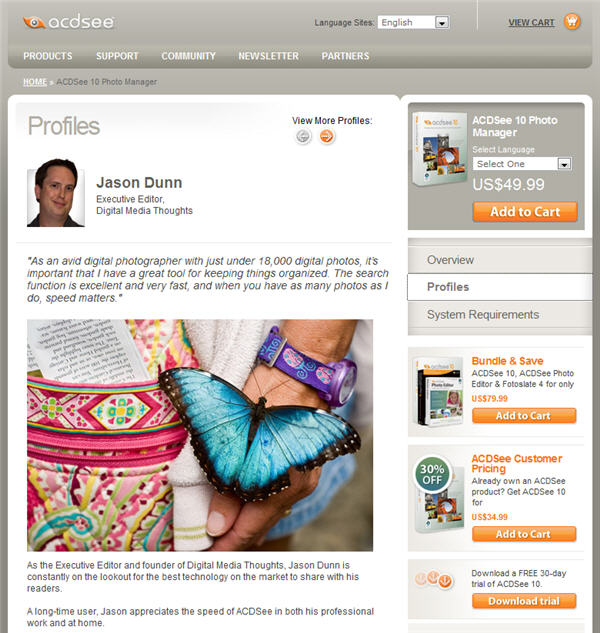
I’m a long-time fan and user of ACDSee, a photo viewing/editing/cataloguing program, and the company decided to profile me as one of their users. It’s just me and the snowboarding guy (another new profile) amongst all the scrap-booking moms. Sweet. 😉 ACDSee has the profiles as part of their shopping cart system, so unfortunately I can’t link directly to it – you need to go to the product page then click on profiles and mine should be the first.

KeyboardListenerServer.exe Scares The Crap Out of Me

Today I started up the Windows Task Manager on Vista and had a small heart attack when I saw a process running called KeyboardListenerServer.exe. When I see a file name like that, the first thought I have is “Ok, that’s some sort of key-logging spyware.” I wouldn’t be that surprised to see it on someone else’s computer, but on my computer? Never! I don’t run anti-virus software and haven’t for years. Intelligent computing (using your brain) prevents 99.99% of all virus or spyware installs. I immediately did a Google to try and see what it was…and got zero results. Uh-oh. You never want to be the first guy in Google to find a virus or piece of spyware – it’s like being patient zero with Ebola; no one is going to have a cure for you, they’ll just learn from your sickness and try to help others.

At this point I’m really puzzled, but before I go diving into the system registry, I expand the description column just to see if there’s any clue about what type of spyware this is. What do I see? “Keyboard Listener Server EXE for Logitech Gadgets”. Thanks Logitech for scaring the crap out of me! It turns out it’s just the process for a Logitech Vista sidebar gadget that I added – one that keeps track of how fast I’m typing (it currently says 158 WPM – that seems a bit high) and another one that keeps track of how often I use the backspace key (currently at 6.3%). Why not give the process a name that has, oh, I don’t know, the name Logitech in it so the user knows it legitimate? Why give it such an ominous-sounding name? Why not LogitechSpeedTyper.exe or something similar? Come on Logitech, you can do better than that…

Make Blind Carbon Copy Your Friend

One of my personal pet peeves is when people email a large group of people and don’t use the Blind Carbon Copy function in their email client. I’ve never ranted about it properly in public before, but I can’t do any better than my buddy Wes Salmon did over here at his blog a few years back. I liked his description so much I used it in a college class that I taught for two semesters. Here’s the tasty excerpt for the time-challenged among you:

“It was at this point that I realized that email has for me at least, become the modern day technological version of herpes. If the email version of a condom had been used, also known as the Bcc field, I would be ok but it wasn’t used and I had no way of forcing it anyway…If they were to practice unsafe Internet usage, and let’s face it most people do, chances are good that they would get some sort of virus or trojan that would grab all the email addresses out of their inbox and begin to do terrible things with them. Not only could I now start getting spam because of this message, I could also have my address used to forge other spam and viruses as more recent versions of these tools have resorted to doing. So welcome to the technology of the future, binary herpes that most people don’t even know they are spreading.”

Wes nailed it dead-on: unprotected, mass-email, is like an STD. I’ve posted before about how it’s sometimes hard to find the BCC function, but I really think that software developers need to get it through their skulls that people are sometimes not very smart (myself included here) and we need some help. What can be done? A simple check should be done on any outgoing email, and if there’s more than, say, a dozen people in the CC or TO field, a polite and friendly warning should pop up in the email client (or Web site) that would encourage the user to use the Blind Carbon Copy field – and a simple one-click of the “Yes” button would do it for the user, moving all the email addresses to the BCC field. Clicking “Yes” would also turn on BCC if it isn’t already active. One part education for future uses, and one part practicality in allowing the user to not have to re-do any of their work.

Microsoft? Google? Yahoo? Time to wake up and bring some practicality to this situation – it’s been ignored for too long. Quite often, especially where business emails are involved, I’ve found that the person sending the email knows they should use BCC, but they simply forget. We need software that would remind them, and allow a one-click fix.

The trigger for this blog posting was two separate emails today that I received from PR and marketing “professionals” where in both cases my email address was in the CC line along with hundreds and hundreds of others. Not only it is a violation of my privacy – I didn’t give these marketing people my permission for them to share my email address with hundreds of others – but it’s also exposing me to all sorts of potential spam. I see this at least half a dozen times a month, and in more than one case I’ve suddenly started receiving news updates from random blogs after it happens. When I questioned how they found my email address, these blog owners sheepishly explained that they used all of the email addresses they found as a basis for their email list.

If you’re reading this blog, odds are high that you’re probably amongst the top 1% of Internet users – please, do the world a favour and teach your friends and family about how, and when, to use BCC. Until the software developers making email software and Web sites take some responsibility for this, user education is our only option.