I’ve known Todd Ogasawara for over 20 years, and we’ve both been in the tech industry a long time (he’s since retired). We had a great conversation about a variety of topics, and this episode went much longer than normal because we had so much fun chatting (hence the 480p YouTube quality).
For MobileViews 621 I’m joined by longtime friend Jason Dunn filling in as guest co-host. We kicked off by discussing the “moatless” nature of modern AI tools, where hopping between Gemini, Claude, and ChatGPT is easier than ever, though our deep ecosystem preferences often dictate our ultimate choices. This led into a deep dive on note-taking app migrations. Jason shared his recent departure from Evernote after a shocking 171% price hike under its new holding company, Bending Spoons. Using an AI-assisted plugin, he successfully migrated 16 years of data to a local Obsidian vault. I shared my own frustrations with Microsoft OneNote, where basic tasks like syncing handwriting on my Boox e-ink tablet are quietly draining my limited monthly Copilot AI credits, pushing me to explore Obsidian as well.
Apparently I like updating this kit, because only a couple of months later, I’m doing it yet again! I was recently in a hotel with USB-C ports, and it made me realize I was missing an opportunity for easy charging by not having a couple of extra cables. And UGREEN, a favourite charging brand of mine, came out with a perfect new product.
Mini Charging Pack v3 | 18.5oz / 526g
The final (?) form of the charging kit…maybe it will last for the rest of 2026?
The v3 only has two changes from the v2, denoted with stars ⭐️:
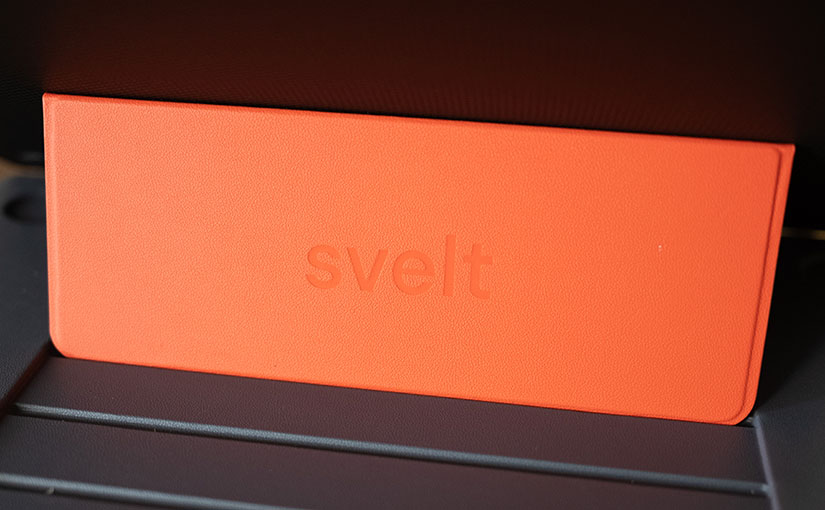
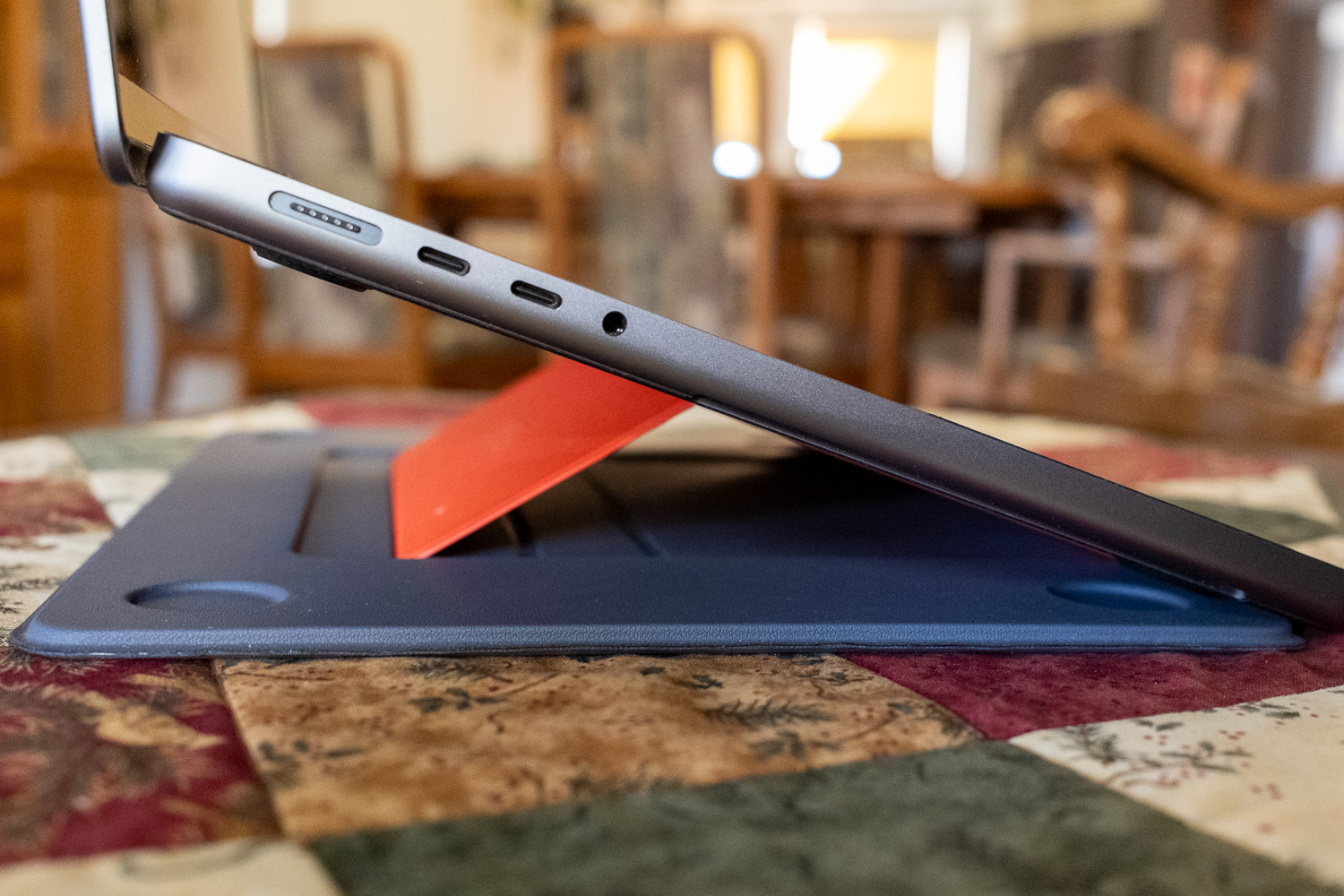
Last year, I came across a product that looked appealing, and so I pre-ordered it: the Svelt laptop stand. It wasn’t a Kickstarter, which I have been known to back a lot of (just ask my wife 😂), just a “please trust us with your money and pre-order it”.
When it arrived, the box was so heavy I thought they accidentally sent me more than one. This is a very well engineered product that is extremely sturdy, and made of high-quality materials, but I think that is part of the problem: the materials chosen optimize for firmness and not low carry weight.
This is an ongoing review that I will update as I get more experience with this product.
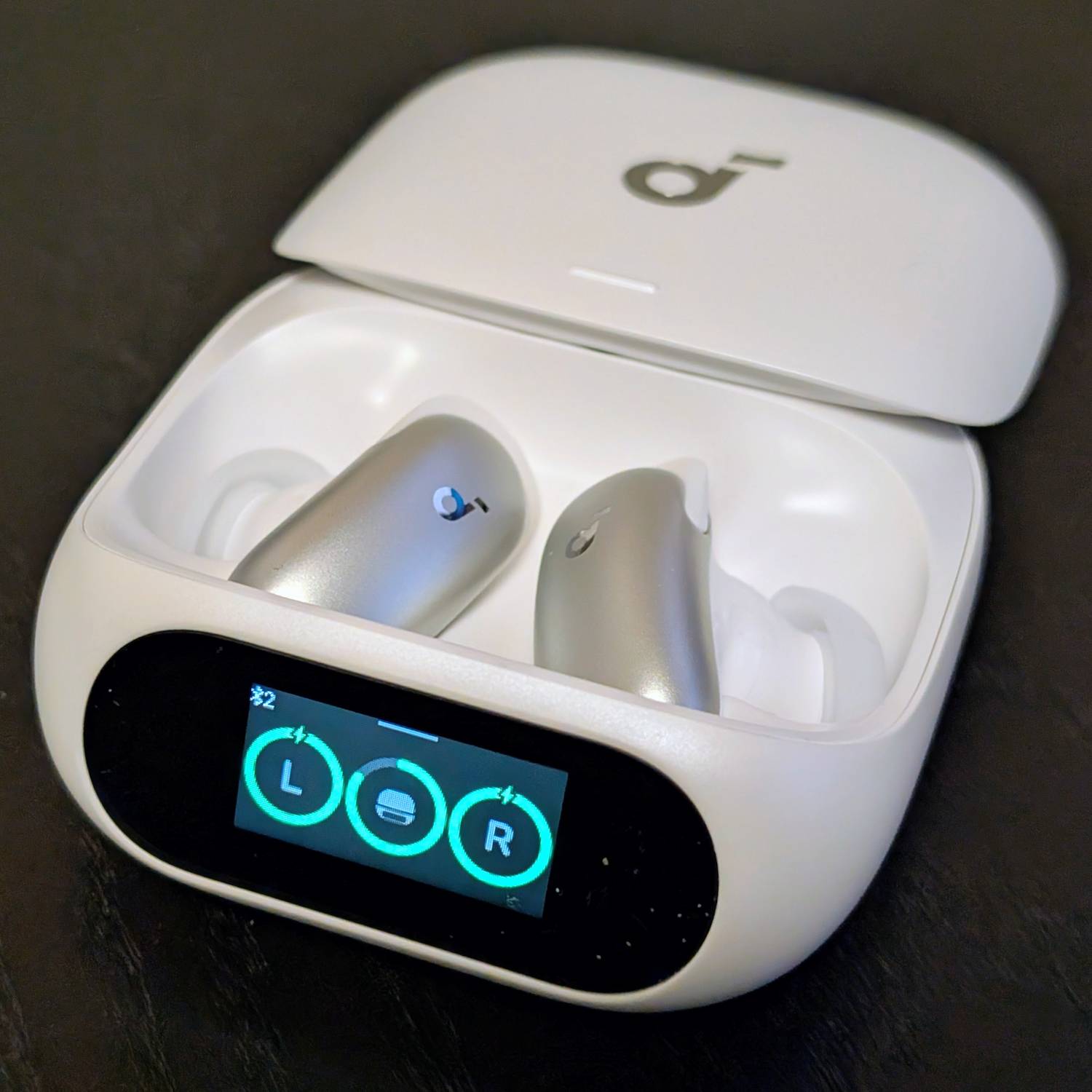
I was a huge fan of the Liberty Pro 2 earbuds from years ago, and only went looking for a different brand of headphone when they started using a long stem design, which I don’t like. I switched to Google Pixel Buds to go along with my Pixel Phones, but was excited to try the Liberty 5 Pro based on the technological advances Anker was advertising.
I’m still not sure if the LCD screen and touch controls are anything more than a gimmick, but so far I haven’t used them for much of anything because I prefer to use the app. I got the white version, and the front of the earbuds are an even shinier, darker silver than the photos represent. I would have preferred a lighter white-ish silver, but these don’t look bad. The case is fairly lightweight, which I appreciate, but the pearlescent white finish may look like garbage within a few months of use. We’ll see.
The image above is was created by Google’s Gemini AI tool on my Pixel 9 Pro. It’s mostly accurate except what is that thing in the lower right? 🤔
I’m not an exceptionally well-travelled person (I have a friend who has flown 60 times so far this year; I’m at 10% of that), but I’ve travelled more than some. I consider myself an intentional traveler; someone who thinks about and plans for the act of traveling. Each time I travel, I find it strangely enjoyable to look at what I use — everything from tech to cables to clothing — and figure out if there’s a way to pack less or pack smarter by bringing something different. Travel can be very stressful, so I try to not be like the guy in the image above. I control what I can control (my choices of what to pack, when to leave for the airport, etc.) and try to flow with the rest that I can’t control.
For a techie like me, keeping my electronics — MacBook Pro, iPad Pro 11, Pixel 9 Pro, Pixel Buds Pro 2, Kindle PaperWhite, and FitBit Charge 5 — powered up is critical. I was chatting with a friend about what each of us carries and the resulting messages to him were a good portion of this blog post. I figured why not share with the world?
One important point in understanding why I carry what I do is that I have a deep-seated need to never NOT have the right adapter/plug/solution to solve my own problem or help someone else. I was never a Boy Scout, but I do have an “always be prepared” mentality when it comes to technology and traveling.
It’s amusing to me that four of the six devices I travel with have “Pro” in the name — apparently, I need to seek out a “pro” e-book reader and watch!
Up until recently, my one and only charging solution was what today I have dubbed the Max Charging Pack (it needed a name for this blog post). A couple of trips ago I was on a flight, and it was packed in my carry-on suitcase. I wanted to charge my phone (I’d used it much more than normal) and I was irritated that I didn’t have my charging gear in my backpack — but I’d purposefully put the Max Charging Pack into my suitcase because it made my backpack much heavier. When I returned home, I decided to create a minimalist charging pack, something I could always have in my backpack. What’s the difference between the two? Let’s dive in…
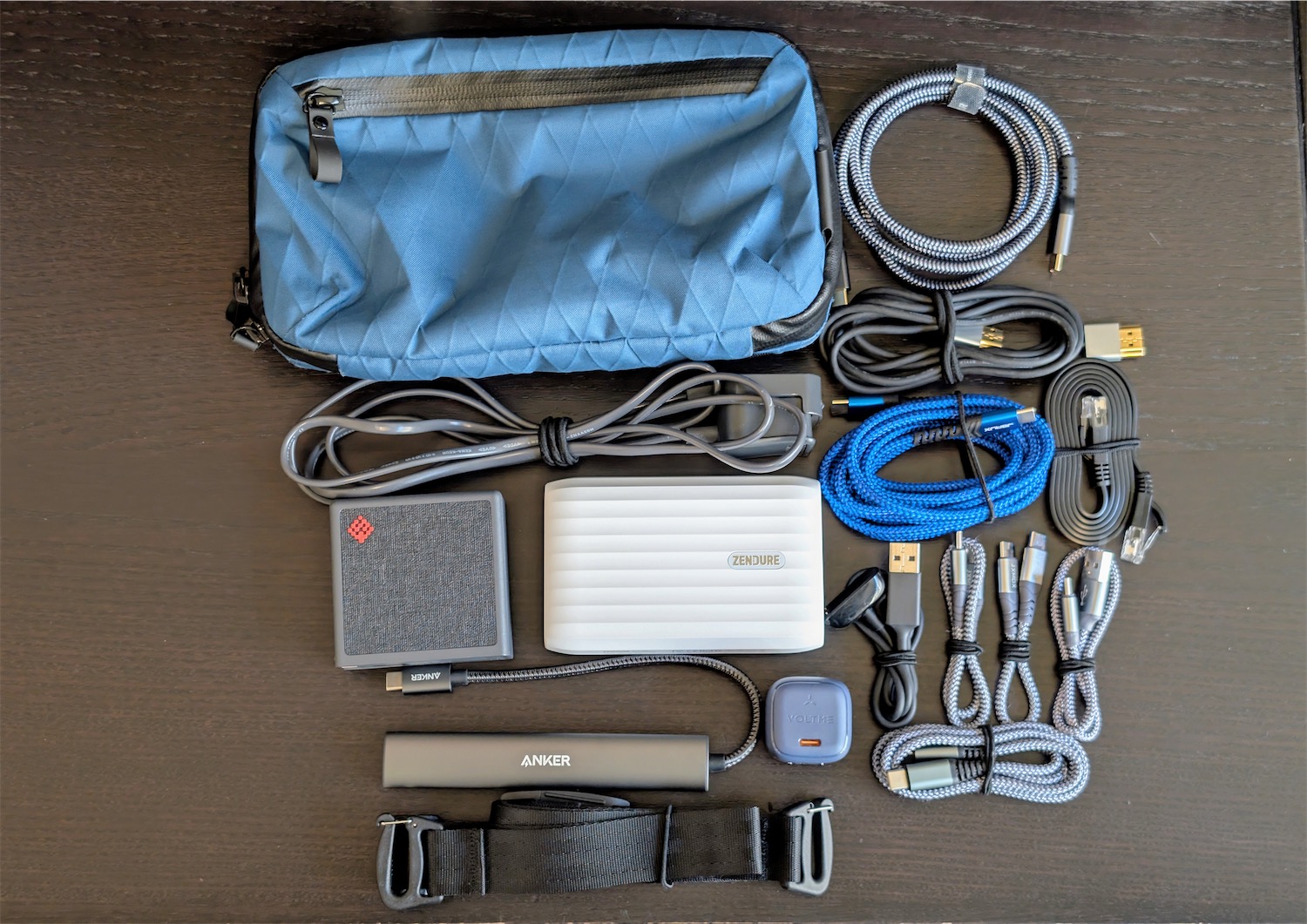
Max Charging Pack | 44 oz (2.75 lbs.) / 1247g
The Max Charging Pack has a lot, and weighs a lot.
Alpaka Elements Tech Case Mini in Ocean Blue | X-Pac RX30 (I carry the shoulder strap with me so I can use it as a mini sling)
A Fitbit Charge 5 cable (proprietary cables can 🔥 burn in hell 🔥, but I do get it for a watch)
A variety of USB-C cables, including a three-foot Thunderbolt 4 cable, a long six-foot cable, and a variety of shorter 6-12 inch cables (and one USB-C to USB-A cable)
The SlimQ charger is really the star of the show here because it can be connected to a wall socket directly, or with an included cable that allows me to keep the charger up on the hotel desk/table and use short cables. It also has international heads that can be swapped out, though I have yet to use it internationally (which will change in November).
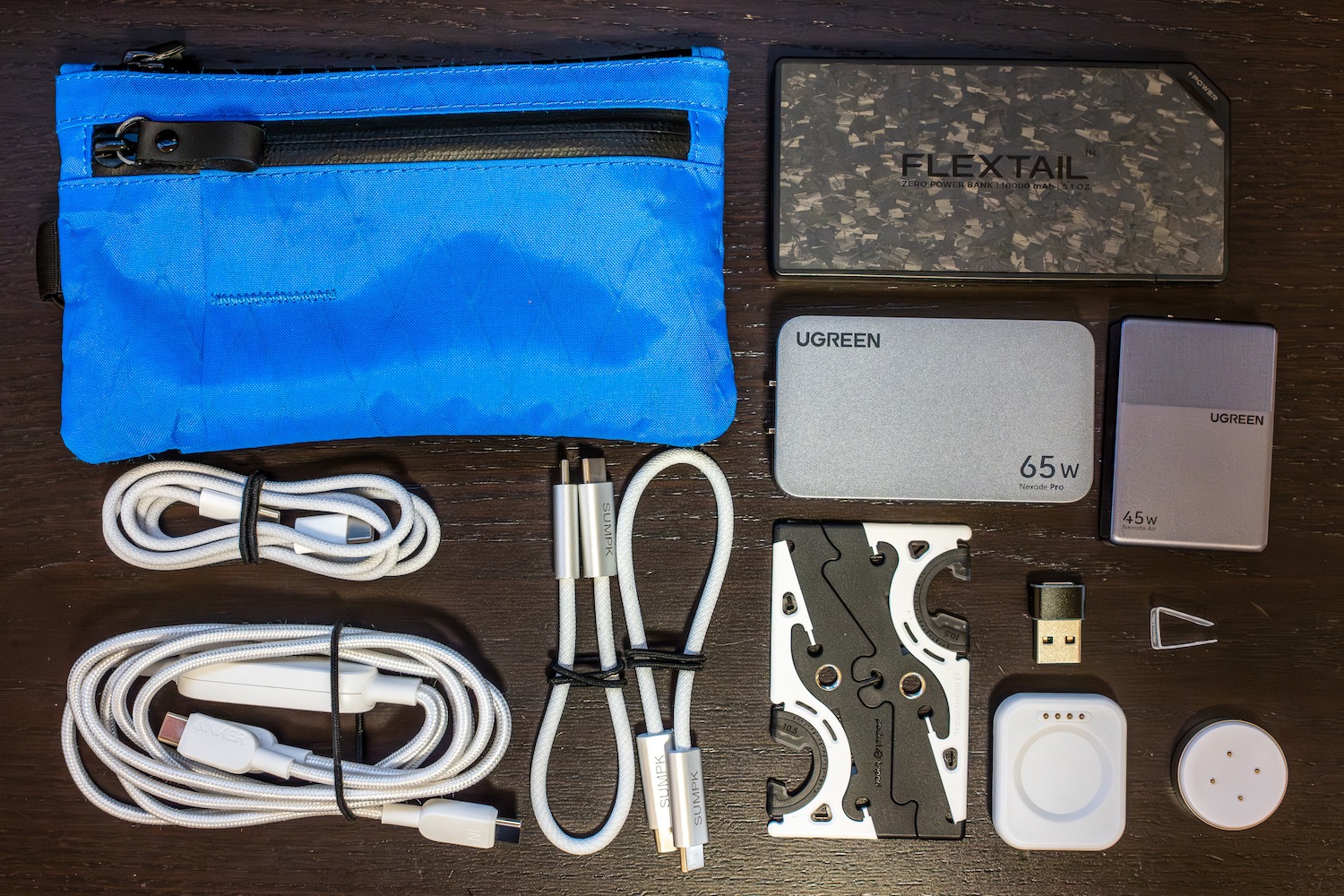
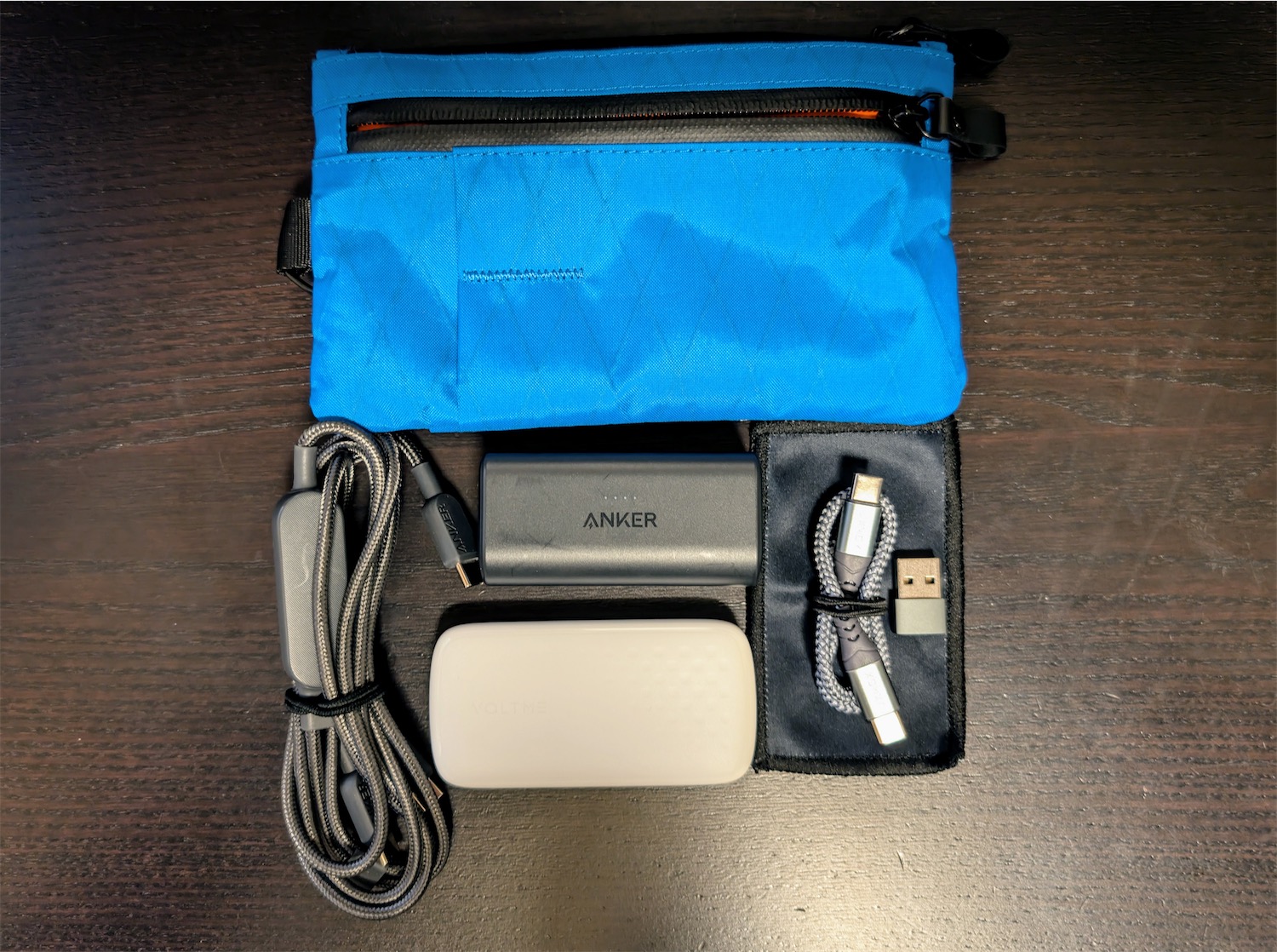
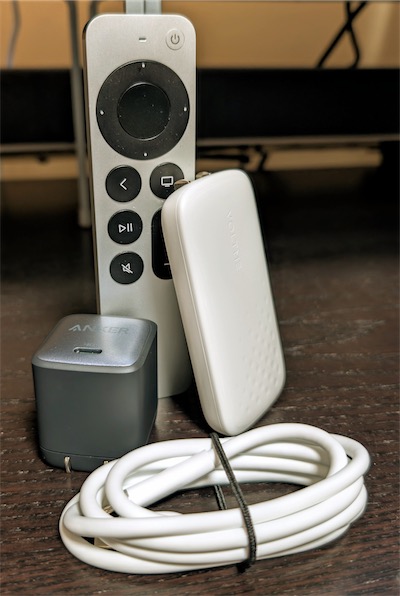
Mini Charging Pack | 14 oz (0.87 lbs.) / 396g
I carry the mini charging pack in my backpack so it’s within easy reach for charging on the plane via seat power or using the battery if that’s my only choice.
USB-C to USB-A adaptor (to connect to a USB-A port on the plane)
Small microfiber cloth for phone/iPad
Everything fits nicely, as I place the Anker battery vertical, the Anker cable and VOLTME charger horizontally, and I have some room to spare. It was important to me that this pouch not get too thick and bulky. This configuration keeps the Zip Clutch fairly thin and it slips into the pouches in the backpacks I use (mainly the Alpaka Elements Travel Backpack, or the Alpaka Metro Backpack for office trips).
Image: on the left, my old Anker 45W adaptor replaced now by the 65W VOLTME Slimline on the right.
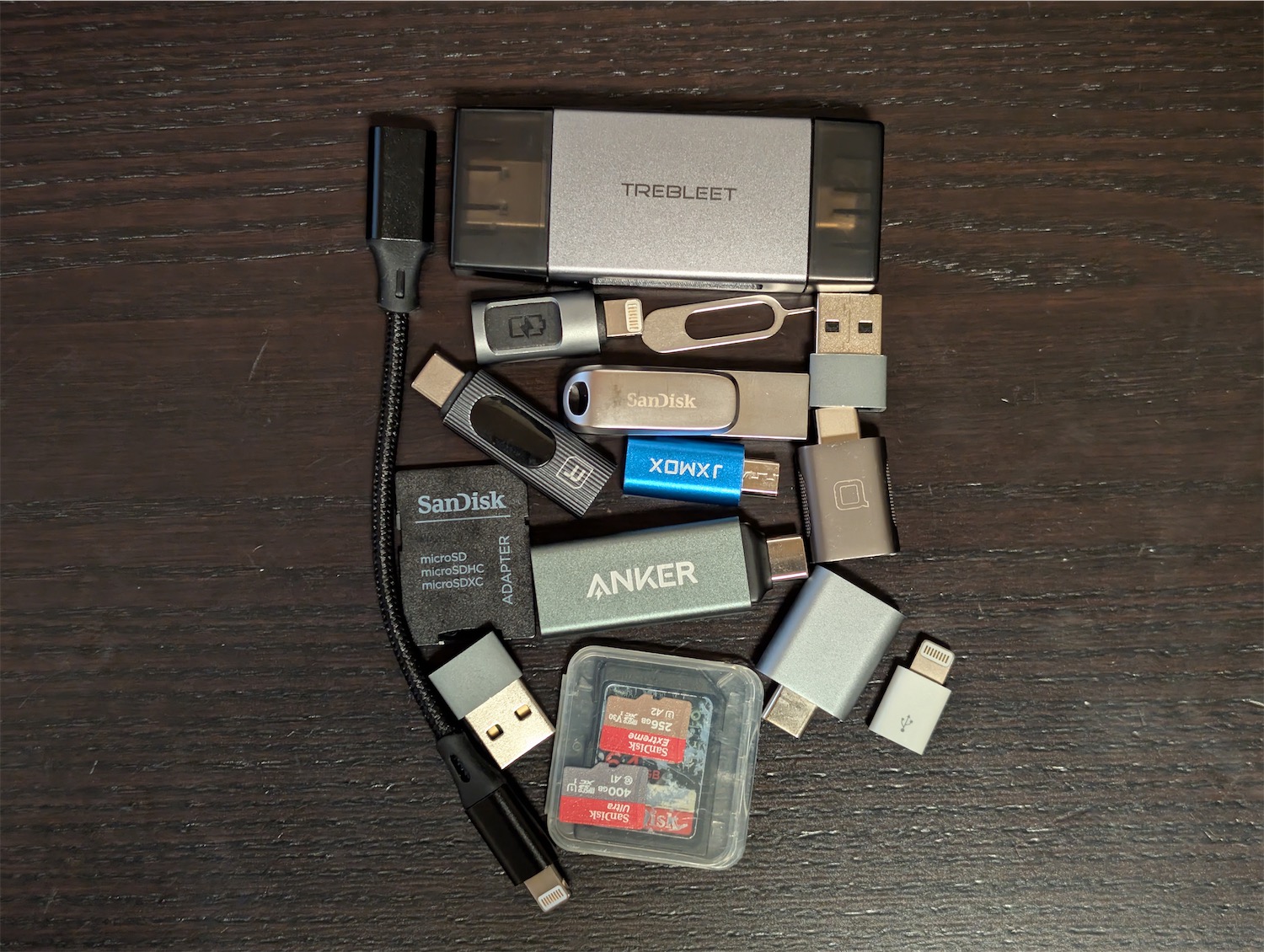
Additionally, because the Alpaka Zip Clutch has a decent-sized front pouch, it works well to carry all my small to medium-sized adaptors. So that’s a CF Express Type B card reader (for my Nikon Z6 III), an SD/microSD card reader, a SIM card ejector (though in this era of eSIMS, increasingly not needed), microSD to SD adaptor, a small USB-C adaptor I put on the end of a USB-C cable to see wattage levels, and a variety of any-port-to-USB-C adaptors. Many of these I carry just in case someone around me needs to connect an older device.
I could probably get rid of some of these and not notice until that ONE time I needed them…
I also carry a variety of flash storage: a 512 GB flash drive, 400GB and 256GB microSD, and a 64 GB SD. The former for file movement, the latter for extra device storage (my drone). I can’t remember the last time I had to use these storage devices, but better to have them than not (seeing a theme here? 😂).
What goes where?
I tend to keep the big charging pack in my carry-on suitcase, and the mini pack in my backpack. I’ve discovered I am much happier pulling weight than having it on my back. 😄 So the max goes into the suitcase, usually a carry-on, but sometimes checked if it’s a family trip and we carry a big, checked bag.
It’s easy to see which one is the mini and which one is the max. 😆
Resisting overkill wattage obsession
As GaN chargers have proliferated over the past few years, chargers have gotten smaller and smaller, which is amazing for travel. They’ve even managed to increase the wattage without making them huge. This has led to a “wattage war” where every year the major players try to out-do each other with more watts. Currently that seems to be 140 watts, which frankly is overkill unless you are charging two laptops simultaneously and you need to charge them quickly.
Most people don’t really understand how devices top out in their ability to accept incoming power. I’m fond of cables and adaptors that tell me how much power a device is using to charge, and it’s less than you’d guess. My MacBook Pro 14 tops out at 96 watts, and that’s only when it’s extremely low on power. Usually, it charges at about 50 watts or less. If it’s got a nearly full battery, I can work on it all day while connected to a 30-watt charger and it will remain at full charge. My iPad Pro 11? 34 watts, then ramps down to 10 watts or less as it gets close to full. My Pixel 9 Pro? 27 watts max, then down to under 5 watts.
I’ve considered carrying a few of the $10 VOLTEME 30-watt cube chargers to give to people who I see at airports charging their iPhones or iPads from the old 5-watt charger, which, when you’re looking for a quick charge, is almost useless unless you’ve got an hour to spare. I’ve yet to do this because random generosity could be taken the wrong way, and they might not have a USB-C iPhone/iPad. But I still think about it as I watch people charge oh-so-slowly. 🫠
I’ve been trying to be thoughtful about how much wattage I really need and that has changed how I think about charging. On two recent trips, I brought the Max Charging Pack with me, yet left it in my suitcase, using only the Mini Charging Pack and guess what? It did everything I need, even with the previous version of my pack topping out at 30 watts with the VOLTME. I have yet to travel with the 65-watt VOLTME, but it will do all I need for solo travel.
Time to pack!
I don’t know if I’ll ever truly be “done” optimizing my tech charging gear, but this recent iteration feels like it’s about as good as it’s going to get barring new breakthroughs in GaN charging. I’ll never say no to smaller, but I will say no to anything that offers more power than I will realistically use. I have my first international trip with this new charging gear coming up in November, so I’ll see if my choices allow me to continue being a relaxed traveler. Stay tuned. 😉
My first computer with an Intel 286 processor was three decades ago, and my last was the MSI gaming laptop I split the cost of with my son featuring an Intel Core i7-11800H. In between I’ve had various flavours of Intel and AMD CPUs, overclocked most of them, and all have behaved in basically the same way: the harder you push them, the more power they need, the more heat they generate, and the louder the fans get to keep the chips from heat damage. As the Mandalorian would say “This is the way.”
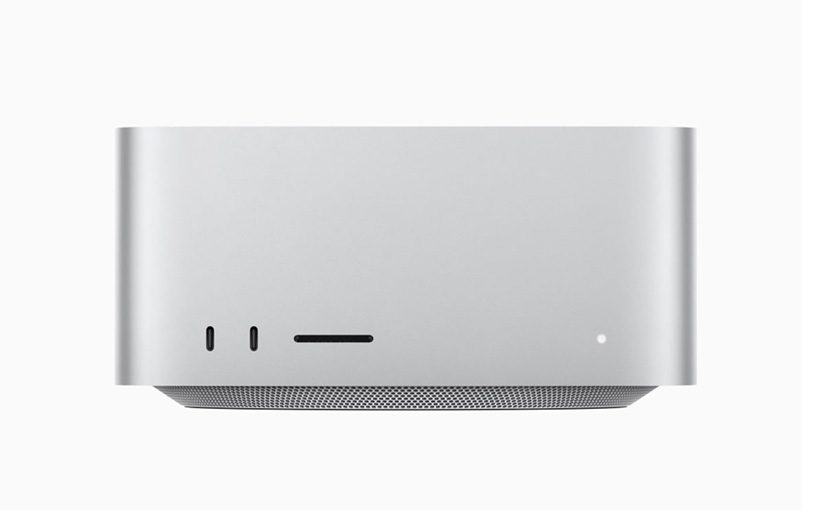
When I recently purchased my Mac Studio with the M1 Max processor (10 CPU Cores, 32 GPU Cores), it was my first foray into the world of Apple Silicon in the desktop/laptop realm (my M1-powered iPad Pro 11 doesn’t really count). I’d been using an aging Core i7 iMac workhorse from 2015 until this purchase, and it behaved like any other machine with an Intel CPU: max speed = heat + noise. h265 video exports from Final Cut Pro would take forever.
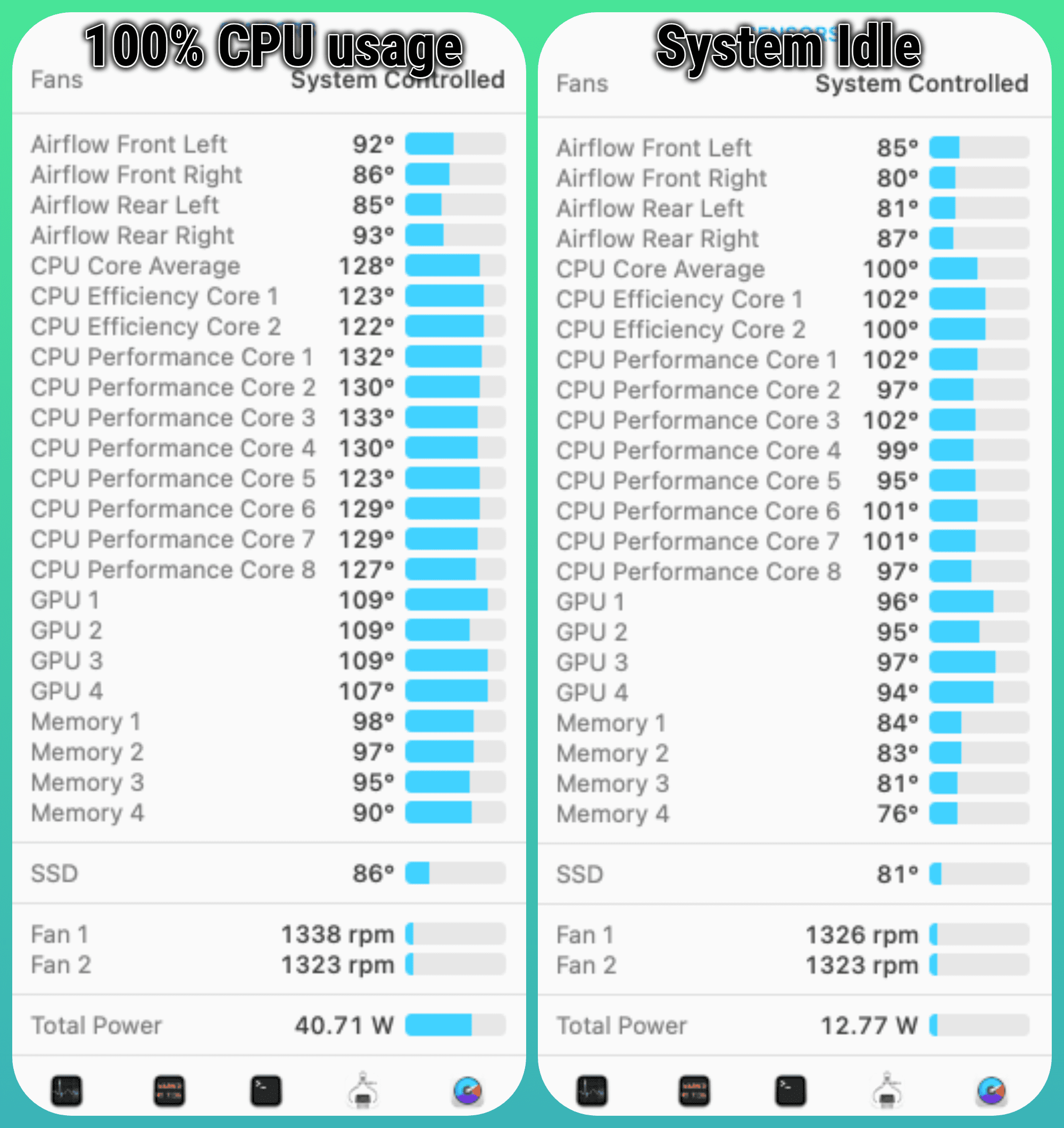
Enter the Mac Studio. It behaves in ways I don’t understand, seemingly breaking all the rules we’ve accepted as immutable over the past 30 years. For instance, when the Mac Studio is idle, the fans spin at around 1326 rpm. In a perfectly silent room, I can hear it – but just barely. At first this irritated me slightly because my 2015 iMac was 100% silent when idle. It’s certainly not loud — the fan on my Google wireless charging stand is louder — but I can hear it.
That slight irritation faded immediately when I put the M1 Max processor under load…because what I saw didn’t make sense.
System temps + fan speeds under load.
What you’re seeing above on the left is me using Handbrake to transcode a 50 GB 4K MKV file to a smaller h.265 4K 10-bit file. It’s punishing to the CPU — all cores are firing hard, but temps are only up about 20%…and the fan speed increased by a mere 12 rpm. This isn’t a one-off glitch either: I’ve done 50+ MKV transcodes on my Mac Studio and no matter how hard I push it, I never hear the fan get any louder. And the total power draw while under max load? About 52 watts. 🤯
Apple’s M-series silicon isn’t the best possible maximum performance silicon out there — the top-tier chips from Intel and AMD will match or beat it in some circumstances — but on a per-watt basis, and while staying cool and quiet…Apple has done something really special with their M-series chips and I’m thrilled with my Mac Studio so far.
The headline already tells you where this is going, but come with me on an August 2021 journey that started with hope and ended in despair.
By way of background, I have two choices for home internet service where I live in a suburb of Renton, Washington: CenturyLink or Xfinity. Because I run a Plex server at home, and do a lot of video/photo uploads, having decent upload speeds and no data cap is important to me. Xfinity is off the table as even their fastest plan in my area (1200 mbps for $80/month) still has a 1.2TB data cap and the upload speeds are 35mbps (and Xfinity hides this fact). Plus, Comcast is the devil 👿 and I don’t want to give them my money.
So for 10 years I’ve stayed with CenturyLink’s DSL-based product. My community of 38 homes is too small for them to run fiber to, so I’m stuck with 80mbps down and 40mbps up. I long for more competition in the Internet provider space and it’s frustrating to me there isn’t more choice — though I often remind myself at least I have two options, many people in the USA have one or no access at all.
On the plus side, the CenturyLink connection is very stable, costs $50/month, and there’s no data cap. 80mbps is generally enough for my household, though I of course long for something better — and when I received an email from T-Mobile sharing that their 5G home Internet service was available in my ZIP code I signed up immediately…after I confirmed I could cancel if it didn’t work because I was hugely skeptical of their claims.
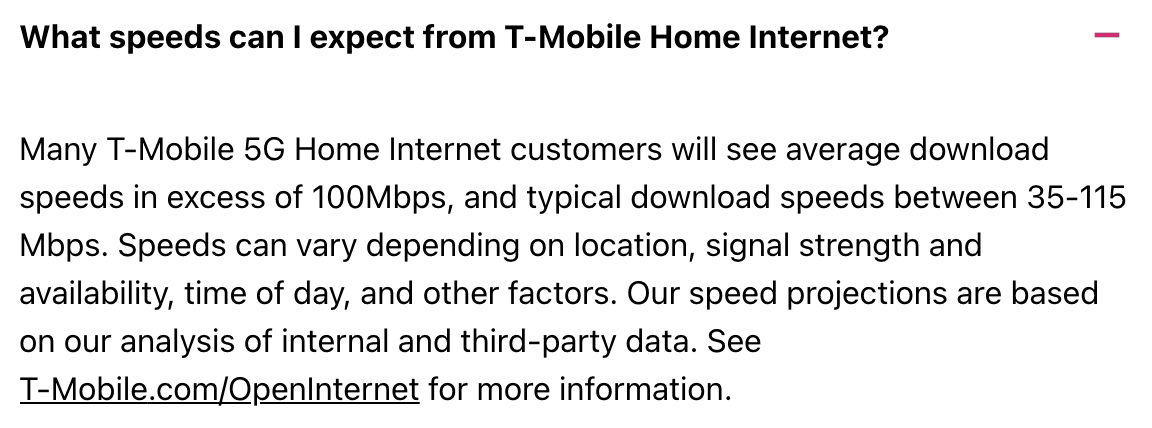
Why? People using TMO that come to my home get very weak signal. In early 2021 I tried a TMO mobile WiFi hotspot and had terrible signal and speeds. So it was with a large grain of salt I took TMO at their word their 5G signal was going to work great in my home. At the time, their speed claims were a minimum of 100mbps up and down, with the reps telling me verbally I should speeds around 300mbps. This was enough to lure me into testing it. It’s worth noting their web site now says typical speeds are 35-115mbps which is a dramatic downgrade to their initial marketing.
What the TMO site now says about speeds.
Their sign up process was incredibly invasive – at one point I wondered if I was being phished because they were asking for so many pieces of ID and information.
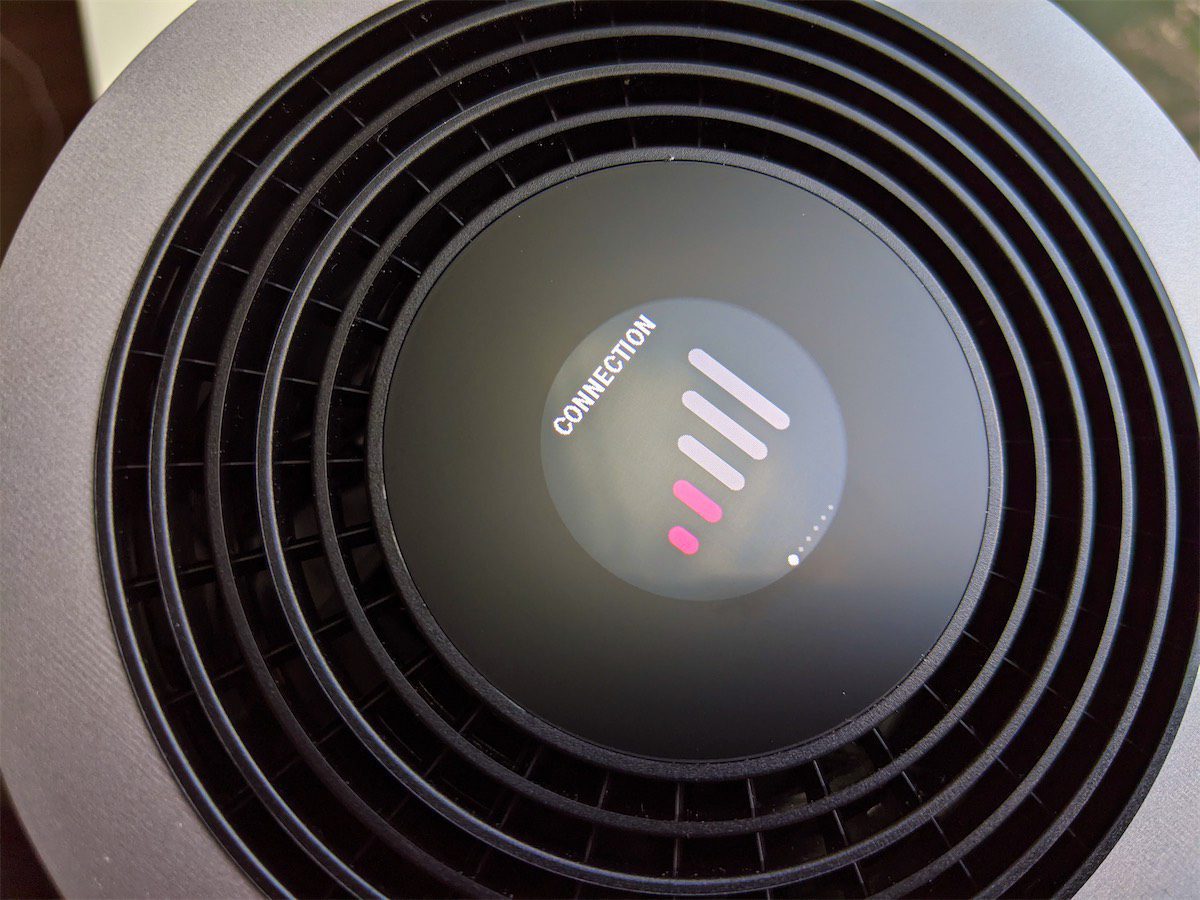
It took a few months for me to get the combo modem/ WiFi router (more demand than supply), but when it finally showed up I was excited to give it a try. Setup was fast and easy; after a couple of minutes I’d booted it up, applied a firmware update, and was ready to test it. I put it in the window of my main floor office and was immediately concerned, but not shocked, then I saw I only had two bars of signal.
Well this isn’t off to a good start…
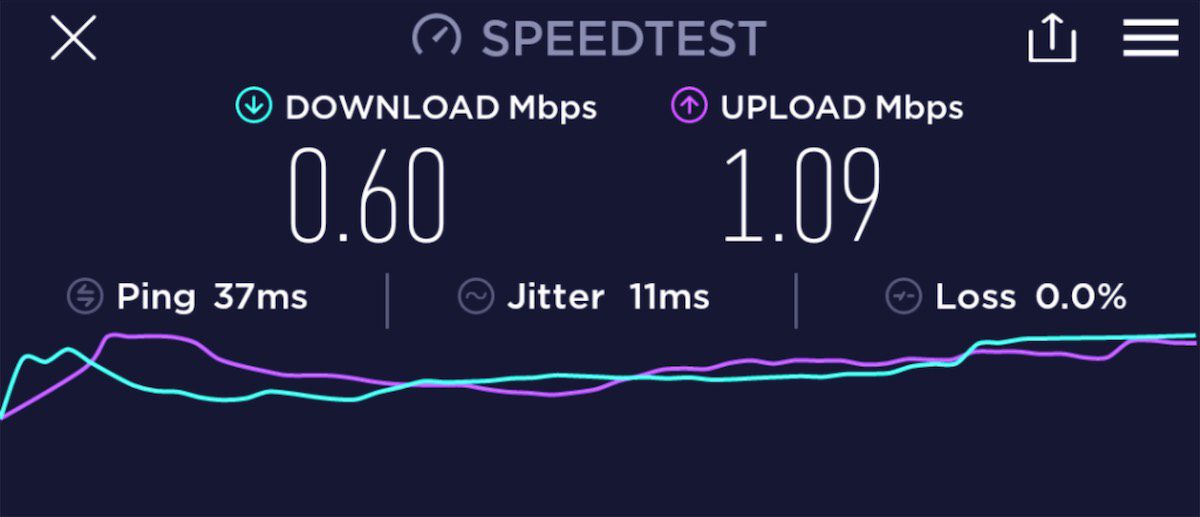
Signal strength and speed are not linked though (despite what you might think), so I ran a speedtest on my phone connected to the TMO router. The results? 😩
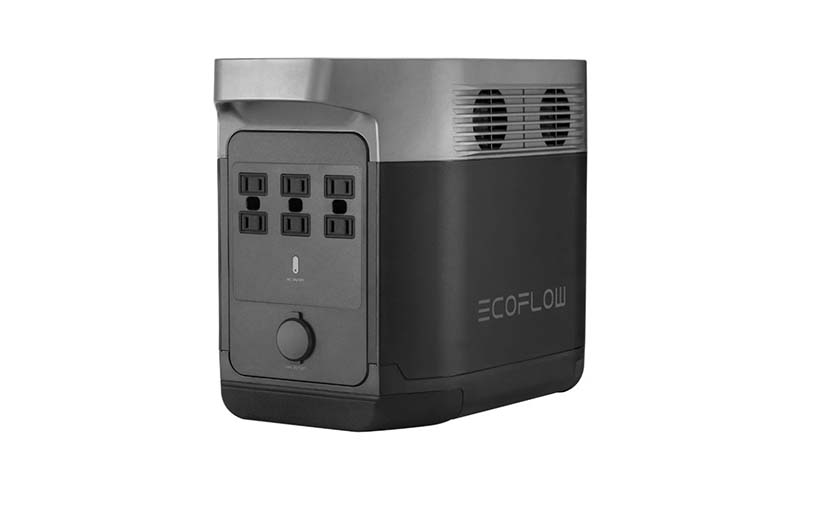
In 2019 I backed a crowdfunded product called the EcoFlow DELTA. While it was promoted as a “battery powered generator”, the name was misleading: fundamentally a generator creates one form of power by consuming another, and this was a battery that stored and outputted electrical power. It’s a battery. A really, really big battery: 31 pounds and 1260 Wh of power to be exact. It has six AC outlets supporting up to 1800 watts of output, 3300 watts of surge protection, pure sine wave output, four USB-A ports (12 or 18 watts per port), two USB-C ports (60 watts per port), and it charges via AC power, solar (up to 400 watts input), or 12V car adaptor.
I backed the project for $799 after we had an 18 hour power outage at my home and I found it frustrating how many things wouldn’t function. I was looking for a specific solution to allow us to continue using our on-demand hot water heater, which uses natural gas but requires electricity to operate. When the power goes out it’s relatively easy to create light and bundle up if you’re cold, but the immediate lack of hot water is an uncomfortable problem for a family with two kids. I had a quote on a natural gas-powered generator, but the $6000 price tag was too high for the rarity of the outages. I’d need to lose power several times a year for 20+ hours each time to justify that expense.
The EcoFlow DELTA arrived in January 2020, and it exceeded all my expectations. I took a bunch of photos because I thought I’d write up a long, thoughtful review of it…and didn’t. That review never quite got written, but I had all these pictures and a few thoughts I wanted to share, so here’s a photo essay of sorts for anyone interested in the DELTA.
* This was the most badass battery that EcoFlow made in 2019, but in mid-2021 they release the monstrous DELTA Pro, a 99 pound battery with 3600Wh of power! 🤯 But it’s also $3599, so…🙃
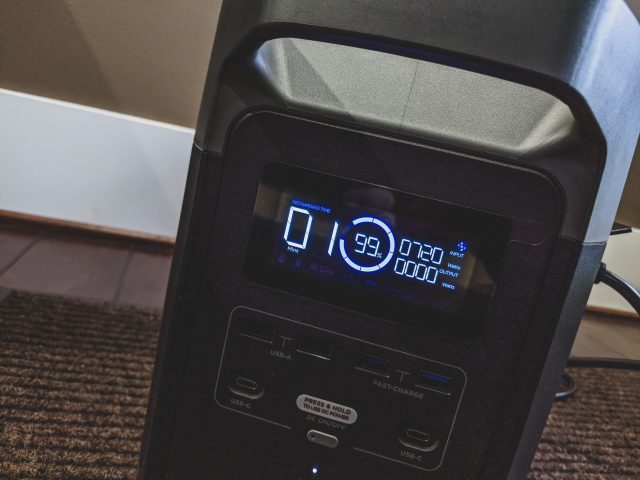
The 1260 watt-hour battery charges directly from AC wall power, and it charges fast: pulling over 700 watts from the wall power, it will go from 0% to 80% charge in under an hour (often all the way to 100% in 60 minutes). It arrived mostly charged. An audible fan kicks on when it’s charging to keep the heat down.Continue reading The EcoFlow DELTA 1300: The Most Badass Battery Ever*
Every time I use a new product or service, I either applaud it or I’m critical of the user experience. Often both! I wrote product reviews on various tech web sites (mostly my own) for ~15 years, and when I worked for Spb Software I took on the role of a product manager for Spb Imageer, so I’ve experienced both sides of this coin to some extent (though much more on the reviewing side).
Working at HTC also gave me interesting opportunities to learn more about the decisions that go into creating hardware and software. I understand every product is a series of trade-offs; most teams don’t have enough developers to build things they way they wish they could, and timelines are never quite long enough to fit in every feature and testing.
But…
Sometimes product managers and UX designers will make such inexplicably awful choices, you have to wonder what they were thinking. You also have to wonder if they tested with actual customers in real-world use, or if it was never tested by anyone other than an internal QA team with a checklist and no knowledge of real-world use. The ESPN+ app on Google TV is one such app.
When I bought a Chromecast with Google TV late last year (what a mouthful of a product name!), I was genuinely excited about it – this was the first truly new execution of Google’s Chromecast platform since the first one launched. I’ve done a fair amount of tweeting about my impressions of the hardware/software from Google – I wish Twitter had a better search function, but here are a few – so this blog post is focusing on one very specific scenario: how utterly terrible the Chromecast with Google TV is for watching long-form content on a poorly designed app. Walk with me through this real-world scenario…
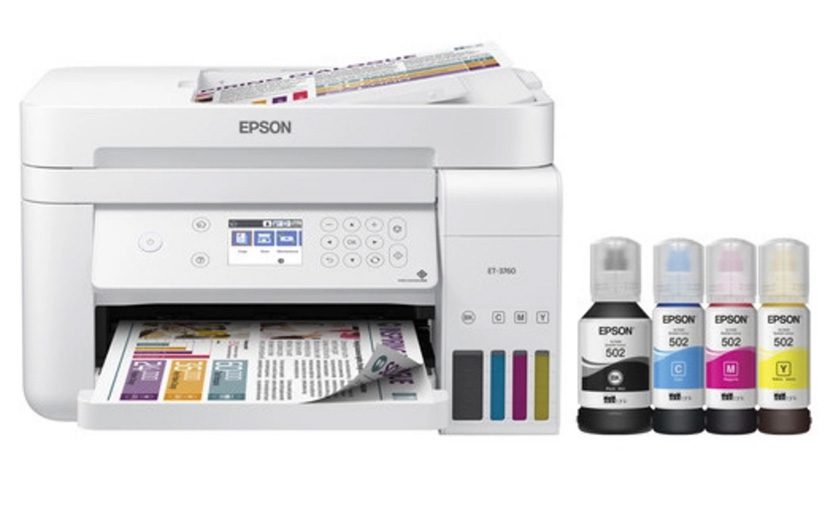
The Epson-ET3760 is a decent printer, but it’s hobbled in a few ways that keep it from being an exceptional product. It was more a bit more expensive ($279 + tax on sale from Costco.com) than a comparable HP printer, but Epson makes less on the ink so it’s expected that you’ll pay more in hardware costs. It’s a “pay extra for the razor because you won’t need to buy as many blades” scenario. The bundle I bought from Costco included two extra black ink bottles, so I expect to not need ink for several years. Epson touts costs as low as 1 cent per ISO colour page.
The print quality is crisp – no complaints there. Compared to my HP though the colours are muted and don’t pop as much. Colour accuracy is significantly off as well. Red is more orange, blue is more grey, yellow is more orange. This means, unfortunately, that all that cheap ink you’re getting doesn’t measure up to what you get on an HP printer.



![T-Mobile 5G Home Internet: A Complete Failure [Part 1]](https://www.jasondunn.com/wp-content/uploads/2022/01/TMO-blog-post-header.jpg)