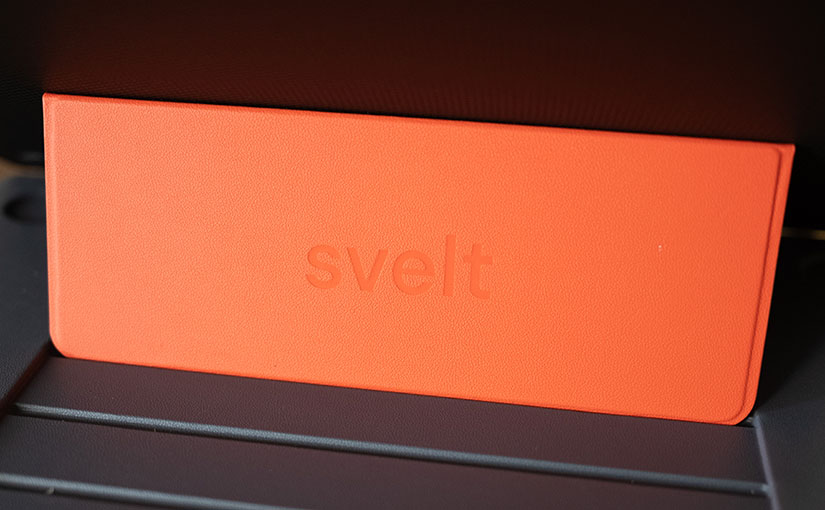
Svelt Laptop Stand Review: Too Solid For Its Own Good

Last year, I came across a product that looked appealing, and so I pre-ordered it: the Svelt laptop stand. It wasn’t a Kickstarter, which I have been known to back a lot of (just ask my wife πŸ˜‚), just a “please trust us with your money and pre-order it”.

When it arrived, the box was so heavy I thought they accidentally sent me more than one. This is a very well engineered product that is extremely sturdy, and made of high-quality materials, but I think that is part of the problem: the materials chosen optimize for firmness and not low carry weight.

At 1.2 lb (540 grams), it adds 34% to the total weight to my 14-inch MacBook Pro, making an already somewhat heavy laptop a much heavier lift at 4.7 pounds total. While this might be fine for carrying your laptop around inside an office or home environment, traveling with this would be absolutely brutal.

I plan on removing it before I have to do any air travel, so I’ve all but wasted $47. I’ll replace it with a MOFT stand that weighs 3.1oz (89 grams). That’s 84% lighter than the Svelt! The MOFT is fundamentally a different product and not really designed for lap use β€” it’s aimed at use on desks and other flat surfaces β€” but for me it’s more than sufficient and doesn’t turn my laptop into a 4.7 pound monster.

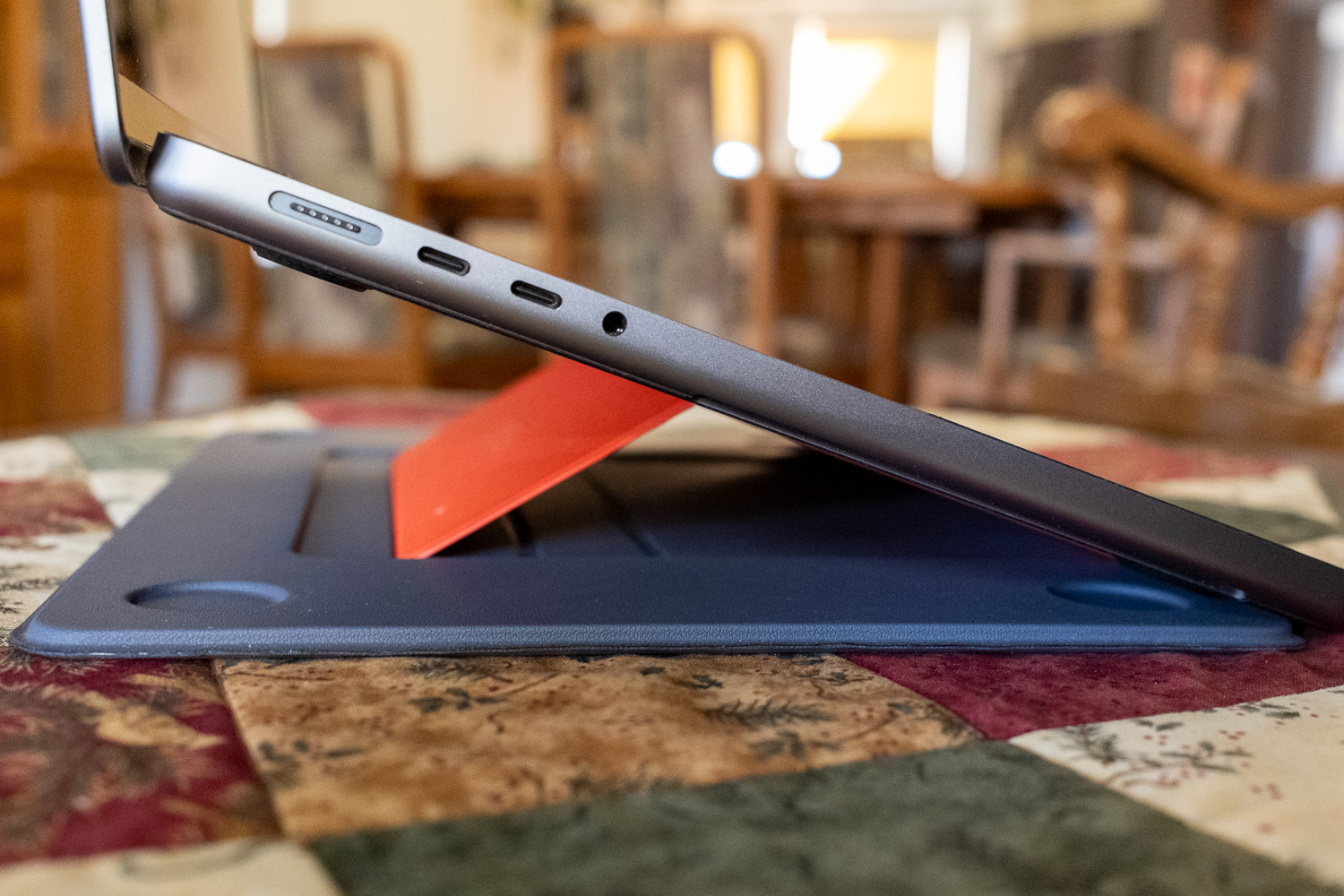
On the plus side, the Svelt makes a laptop usable in your lap, and the multiple viewing angles are very helpful. The highest angle looks like it would work well for presentations.

I would love to see a V2 of the product keep the same design, but focus on reducing the weight, perhaps with some sort of carbon fiber material that is both strong and lightweight.

The bottom line: this is a well-engineered product that is unfortunately just too heavy for my needs.

Anker’s Liberty 5 Pro Bluetooth Earbuds: a Mixed Bag

This is an ongoing review that I will update as I get more experience with this product.

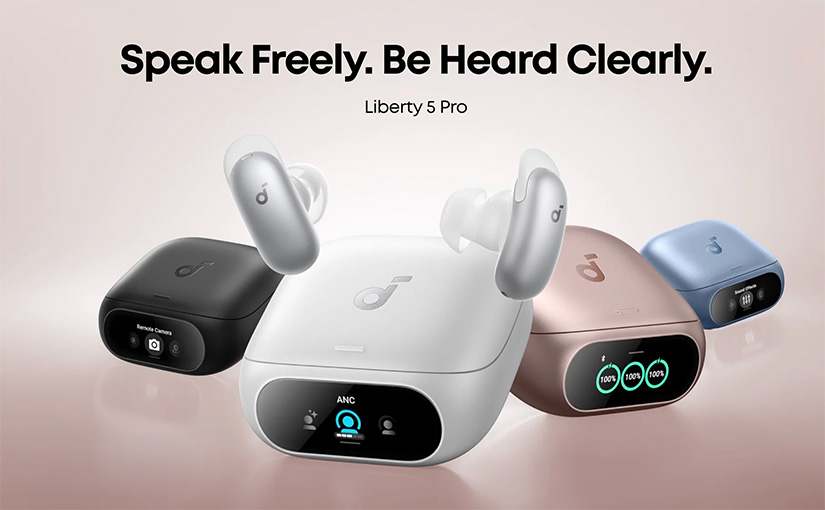
I was a huge fan of the Liberty Pro 2 earbuds from years ago, and only went looking for a different brand of headphone when they started using a long stem design, which I don’t like. I switched to Google Pixel Buds to go along with my Pixel Phones, but was excited to try the Liberty 5 Pro based on the technological advances Anker was advertising.

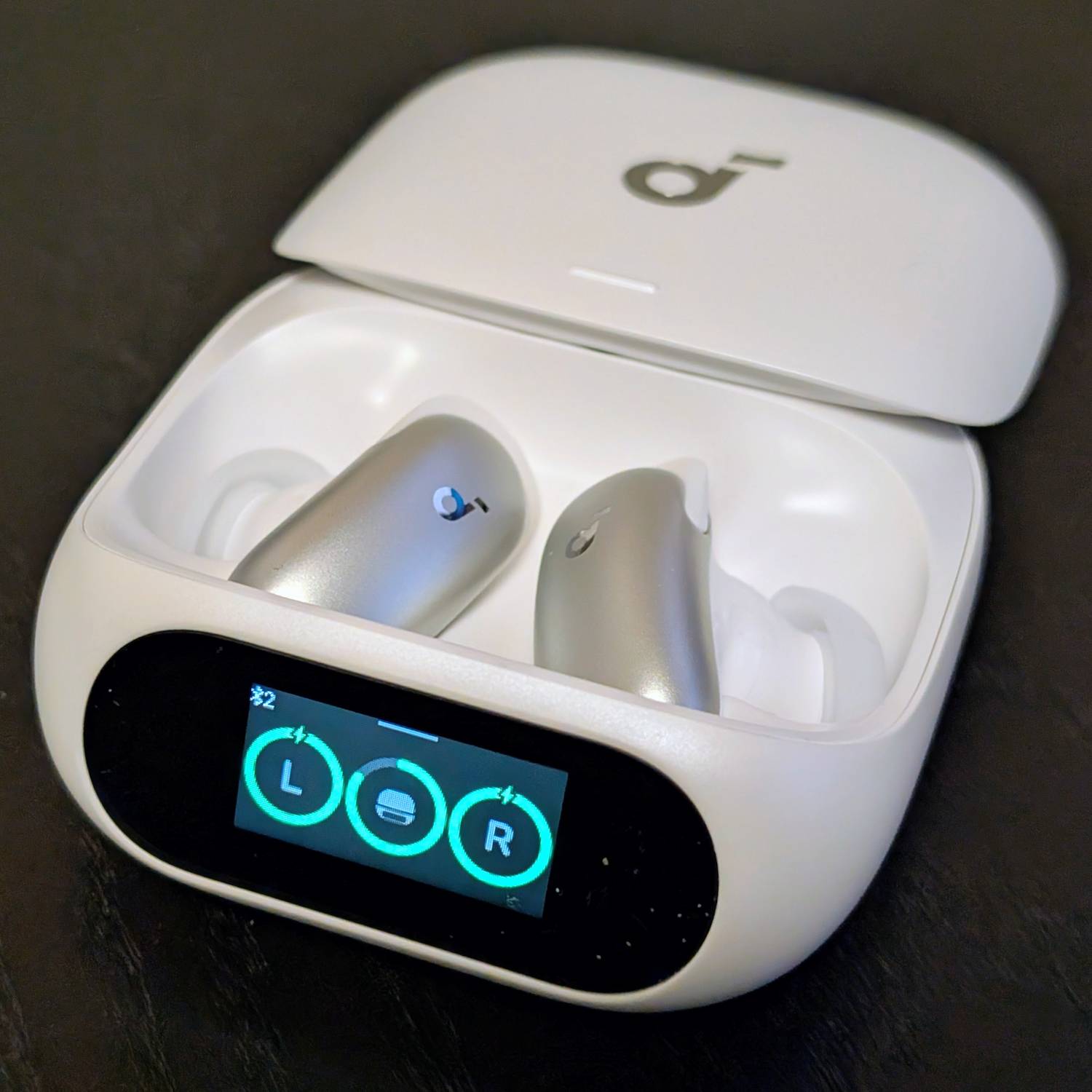
I’m still not sure if the LCD screen and touch controls are anything more than a gimmick, but so far I haven’t used them for much of anything because I prefer to use the app. I got the white version, and the front of the earbuds are an even shinier, darker silver than the photos represent. I would have preferred a lighter white-ish silver, but these don’t look bad. The case is fairly lightweight, which I appreciate, but the pearlescent white finish may look like garbage within a few months of use. We’ll see.

Audio quality-wise, these sound pretty good. I’m still using them and breaking them in, but I would put them on par with the audio quality from my Google Pixel Buds Pro 2, which I think is excellent. My main purpose for using them is for connecting to my MacBook Pro and using them as earbuds during meetings. I hope that they will have a strong and stable Bluetooth connection and stop cutting out like my Beats Fit Pros do.

πŸ—“οΈ June 3rd Update: I did a test where I called a friend of mine over WhatsApp, and I swapped back and forth between my Google Pixel Buds Pro 2 and the Anker buds. He’s a professional audio tech, and I trust his ears more than anyone else’s. In his opinion, the Anker Buds had a very non-Bluetooth audio sound, meaning it lacked some of the characteristic hiss and hollowness that comes with using Bluetooth earbuds. He said the Anker’s buds sounded basically as good as if I were holding the phone to my face on a regular call. He mentioned a tiny bit of hiss at the start when I talked, but explained that is probably a noise gate opening once the earbuds detect audio input.

I haven’t taken these on a plane yet, but I can say that when walking on roads with busy and loud cars, this is by far the best noise cancelling I’ve ever experienced. I haven’t taken a phone call with them yet, and I am very curious to see if the call quality is as good as the reviews have made it out to be.

The most jarring thing about using these headphones is how they, by default, don’t respond to “Hey Google” commands like I’ve gotten used to with two subsequent generations of Google Pixel Buds. Anker has instead opted to use their own voice assistant where you have to invoke it by saying “Hey Anka”. Do we really need a new voice assistant with a new name for us to remember? No, I don’t think we do. I’m never going to use this.

Thankfully, you can configure a double tap of the touch-sensitive button to invoke Google’s Assistant. Unfortunately, Anker, either by choice or because Google doesn’t allow them to (I’m still not sure which), can’t pass through media commands properly. So when I ask for it to play music by a certain artist, for example, it responds back saying that it created a playlist for me, but it doesn’t actually start playing the music. This is a major letdown, and I’m unclear if it’s something Anker can fix with a firmware update or not.

All in all, these are a decent set of earbuds for the price, but if you’re used to using Google Gemini as an assistant that you can easily talk to, these are a major letdown. You’d be better off buying Google Pixel Buds.

πŸ—“οΈ June 17th Update: after a couple of weeks of use, I had my first major failure with this product. I was on a conference call and they were connected to my M1 MacBook Pro. They made a burst of static, the signal dropped, and never came back on. I had to scramble to switch audio to another output and it was very frustrating. I hope Anker can improve this with some firmware fixes!

πŸ—“οΈ July 2nd Update: The left earbud occasionally emits minor static while in use. It stays connected, but it’s enough static to be a bit irritating. Come on Anker, let’s get some firmware updates rolling to make this product more reliable.

The EcoFlow DELTA 1300: The Most Badass Battery Ever*

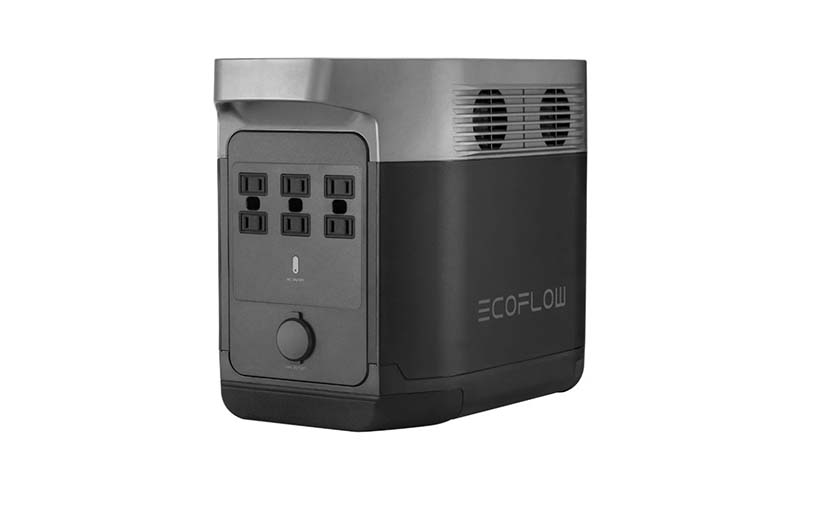
In 2019 I backed a crowdfunded product called the EcoFlow DELTA. While it was promoted as a “battery powered generator”, the name was misleading: fundamentally a generator creates one form of power by consuming another, and this was a battery that stored and outputted electrical power. It’s a battery. A really, really big battery: 31 pounds and 1260 Wh of power to be exact. It has six AC outlets supporting up to 1800 watts of output, 3300 watts of surge protection, pure sine wave output, four USB-A ports (12 or 18 watts per port), two USB-C ports (60 watts per port), and it charges via AC power, solar (up to 400 watts input), or 12V car adaptor.

I backed the project for $799 after we had an 18 hour power outage at my home and I found it frustrating how many things wouldn’t function. I was looking for a specific solution to allow us to continue using our on-demand hot water heater, which uses natural gas but requires electricity to operate. When the power goes out it’s relatively easy to create light and bundle up if you’re cold, but the immediate lack of hot water is an uncomfortable problem for a family with two kids. I had a quote on a natural gas-powered generator, but the $6000 price tag was too high for the rarity of the outages. I’d need to lose power several times a year for 20+ hours each time to justify that expense.

The EcoFlow DELTA arrived in January 2020, and it exceeded all my expectations. I took a bunch of photos because I thought I’d write up a long, thoughtful review of it…and didn’t. That review never quite got written, but I had all these pictures and a few thoughts I wanted to share, so here’s a photo essay of sorts for anyone interested in the DELTA.

* This was the most badass battery that EcoFlow made in 2019, but in mid-2021 they release the monstrous DELTA Pro, a 99 pound battery with 3600Wh of power! 🀯 But it’s also $3599, so…πŸ™ƒ

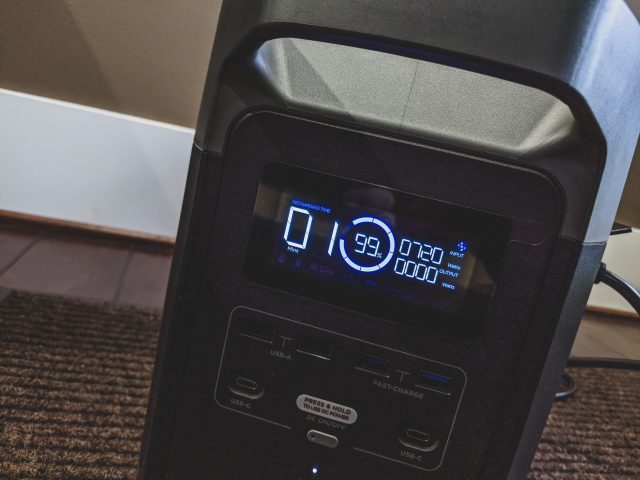
The 1260 watt-hour battery charges directly from AC wall power, and it charges fast: pulling over 700 watts from the wall power, it will go from 0% to 80% charge in under an hour (often all the way to 100% in 60 minutes). It arrived mostly charged. An audible fan kicks on when it’s charging to keep the heat down.
Continue reading The EcoFlow DELTA 1300: The Most Badass Battery Ever*

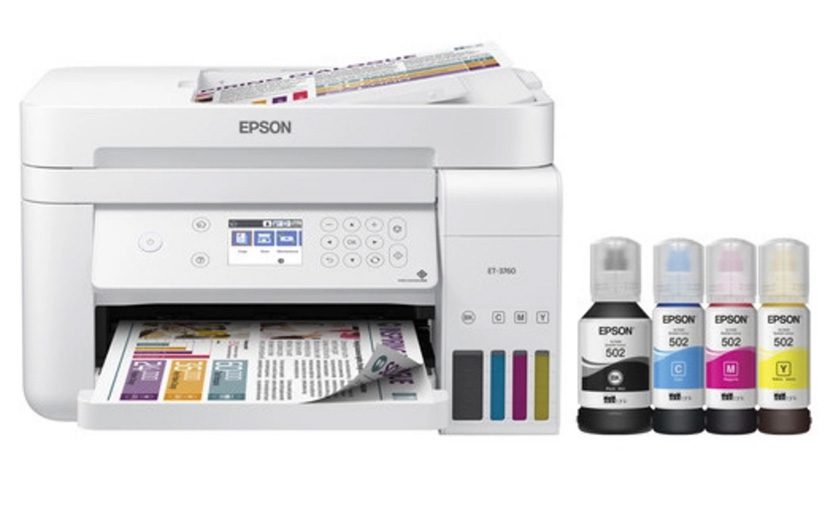
Epson-ET3760 Review: Muted Colours, Awful User Experience, but Affordable Prints

The Epson-ET3760 is a decent printer, but it’s hobbled in a few ways that keep it from being an exceptional product. It was more a bit more expensive ($279 + tax on sale from Costco.com) than a comparable HP printer, but Epson makes less on the ink so it’s expected that you’ll pay more in hardware costs. It’s a “pay extra for the razor because you won’t need to buy as many blades” scenario. The bundle I bought from Costco included two extra black ink bottles, so I expect to not need ink for several years. Epson touts costs as low as 1 cent per ISO colour page.

The print quality is crisp – no complaints there. Compared to my HP though the colours are muted and don’t pop as much. Colour accuracy is significantly off as well. Red is more orange, blue is more grey, yellow is more orange. This means, unfortunately, that all that cheap ink you’re getting doesn’t measure up to what you get on an HP printer.
Continue reading Epson-ET3760 Review: Muted Colours, Awful User Experience, but Affordable Prints