The Desk of a Geek, The Life of a Geek

july21st-2009-workspace

All Your Browser Crashes Are Belong to Flash!

Over the past year or so, I’ve been plagued with browser crashes of a specific type: Flash banners. There’s a certain type of Flash animation that gives IE8, Chrome, and Firefox absolute fits. Complete lock-up and eventual crash. Check out the screen shots:
chrome-flash-problems

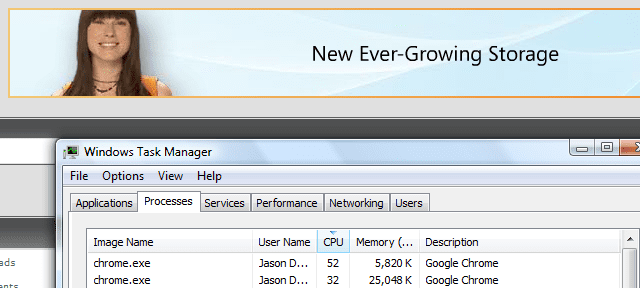
Above: This is a Windows Live Flash-based banner locking up and crashing Google Chrome. Google seems to resist crashing the best of all the browsers, though when it tanks it takes the whole thing down – not just a single tab like they’d have you believe. I guess nothing works as well as the marketing tells us it does.
firefox-crash

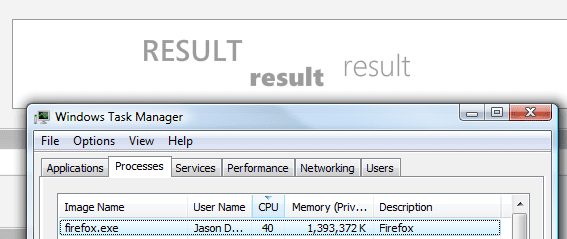
Above: Here’s Firefox crashing on a Microsoft Bing Flash-based banner locking up and crashing Firefox. The behaviour is always the same: Firefox will peg one CPU core, and the memory usage will climb and climb – once it reaches around 1.5 GB, it will finally crash hard. I’ve lost count of the number of crash reports I’ve submitted to Mozilla.
firefox-bud-light-banner-browser-crash

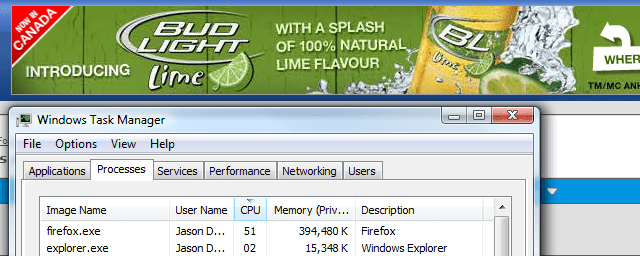
Above: Another Firefox Flash banner crash, this time from Bud Light. Maybe Firefox doesn’t like lime beer.

firefox-crash2

Above: Yet another Firefox crash, this time on another computer, and from Budweiser.

Curious about what the actual crash report looks like when Firefox takes a dump? Dig this:

Description:
A problem caused this program to stop interacting with Windows.
Problem signature:
Problem Event Name:    AppHangB1
Application Name:    firefox.exe
Application Version:    1.9.0.3399
Application Timestamp:    49f1091d
Hang Signature:    cc8e
Hang Type:    0
OS Version:    6.0.6002.2.2.0.256.1
Locale ID:    1033
Additional Hang Signature 1:    2de4e2a1ef83764b153393c7ddb0c147
Additional Hang Signature 2:    75d7
Additional Hang Signature 3:    fdf5d60b2d0319bb6c73afe447f9eeff
Additional Hang Signature 4:    cc8e
Additional Hang Signature 5:    2de4e2a1ef83764b153393c7ddb0c147
Additional Hang Signature 6:    75d7
Additional Hang Signature 7:    fdf5d60b2d0319bb6c73afe447f9eeff

This has happened to me on multiple computers, multiple browsers, and no, it’s not related to extensions on Firefox. The only extensions I’ve had installed for quite a while now is the Canadian dictionary, and Xmarks. But since it crashes both Chrome and IE8, neither of which have add-on extensions, I’m more suspicious of Flash itself – meaning that this problem is related to the Flash plug-in that each of these browsers use. I’ve updated, un-installed, and re-installed Flash more times than I can count and it never helped. I’ve watched as a banner goes through certain animations, and the CPU is pegged, then it transitions to another part of the banner and the CPU calms down. This is all related to the animation that Flash banner designers are using, I’m sure of it.

Because IE8 doesn’t re-open tabs when you close and re-open it – didn’t IE7 do that? – using it for my serious browsing isn’t much of an option. I fire it up when I need to check a site that I know I won’t keep open for more than a few minutes. Chrome is more crash-proof than Firefox 3.1, so I’ve been using that for the past month or so. It’s a nice, fast browser – but doesn’t render everything properly and sometimes acts funky, so I fire up Firefox on a regular basis. It’s weird using three different browsers! I haven’t tried Firefox 3.5 much since it was released recently, so I might switch back and hope that it’s less prone to “Flash Crashes”…
The New Floor, and New Floor Covering

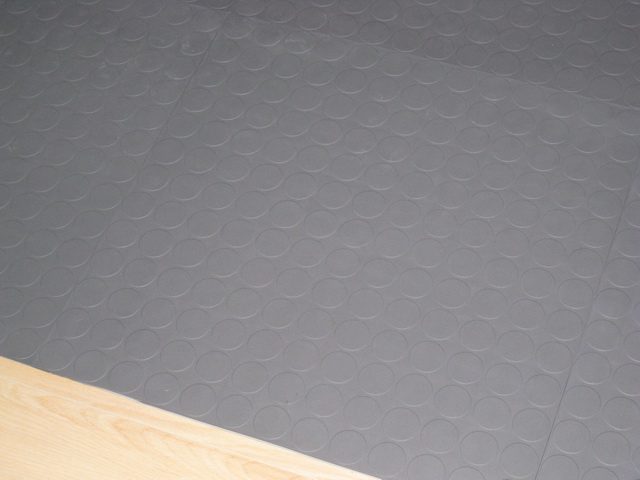
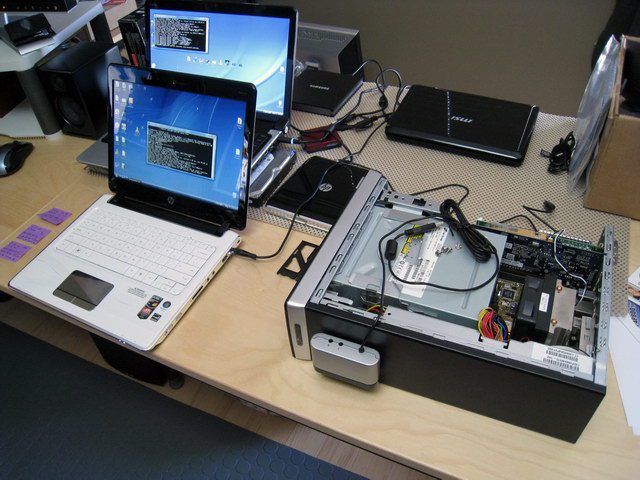
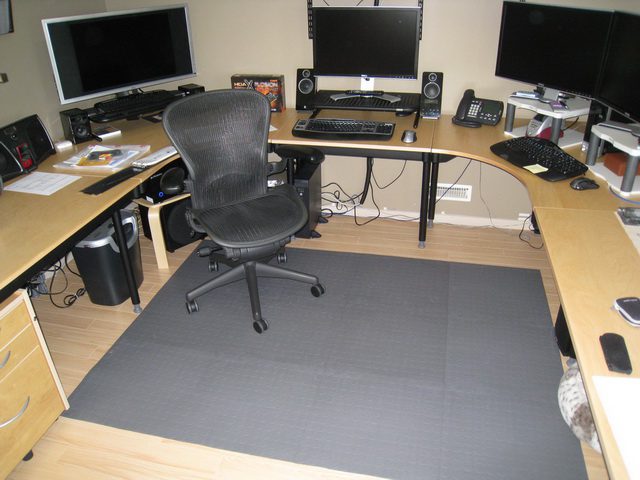
A few people have asked what I ended up using on my floor, so here you go: they’re rubber/plastic tiles designed for a garage floor. I bought them at RONA, our Home Depot-type store here in Calgary. I didn’t cover quite as much space as I’d originally planned, but it’s enough for me to roll where I need to in my office. There are small bumps on the tiles, so it’s not like rolling over hardwood, but it’s not too bad. I ordered some rubber wheels for my Aeron chair, which will hopefully help further. I’m still getting things set up, so the wiring isn’t quite up to snuff. 😉

newfloor1

newfloor2

The Moment I’ve Been Dreading Has Arrived: Office Teardown

I’ve been putting this off for at least two years now, but I finally had to bite the bullet and get it done: I had to tear-down my home office and move it in order to get my floor fixed. We moved into this house in 2001, and finished the basement later that year. We put down berber carpet, which at the time seemed like a good idea because basements tend to be cold. Then we got a little puppy named Keiko – and after a few months that berber carpet was covered in stains (house-training a puppy is a messy business). It was also problematic for me to not be able to roll my office chair from computer to computer – for a while I had a custom-cut piece of Plexiglas on the floor, but over time that cracked and broke.

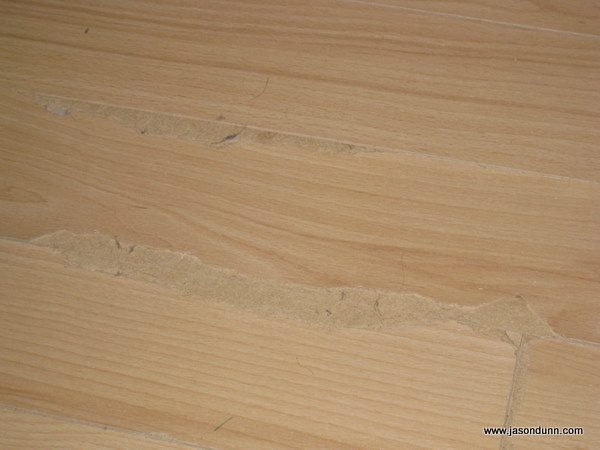
Not wanting to pay another $500 to replace it, and realizing it was a bit demoralizing to be working surrounded by urine stains, it was time for a renovation to my home office. In 2006 I hired a carpenter, and he sub-contracted a flooring company (Underfoot Floors in Calgary), to re-do several key parts of my office. He built a custom set of shelves for me, and the flooring company ripped up the berber carpet and installed a hardwood laminate floor. For a while, everything was great – but then I started to notice that as I rolled my chair across the floor, it would seem to catch on the floor. Over the next year, I’d find little chips of broken hardwood laminate – bit by bit, I was destroying the floor. The entire point of going with the hardwood laminate was to get something tough enough to stand up to a rolling office chair. I brought in the carpenter and the flooring company, and there was a lot of shoulder shrugging and finger-pointing.

deconstructing-jasons-office-3

This is what the floor looked like after a couple of years worth of my chair rolling over it.

The problem was two-fold: the underlay that Underfoot Flooring used was quite thick. I had asked for a thick underlay in an attempt to plug up some of the awful insulation problems that Bay West Homes inflicted upon us when they built the house – on a cold day, my basement would be a good 15 degrees Celsius colder than the main floor. You could hold your hand along the baseboards and feel freezing cold air blowing in. Knowing nothing about flooring, I didn’t realize that by having the thicker underlay would cause the floor to move up and down more. You’d think that the flooring professionals would have pointed this out to me, right? No such luck. The particular flooring that I selected – completely based on colour and design, because hey, what do I know about flooring – turned out to have a bevelled edge, meaning that the pieces didn’t lock as tightly together as the indestructible Pergo flooring I had back in my condo. Again, I had no clue – Underfoot Flooring knew this was going in a home office, so I trusted their advice about the flooring options I had. Continue reading The Moment I’ve Been Dreading Has Arrived: Office Teardown

Computers Nine Years Ago: Check This Out

dell-computer-circa-2000

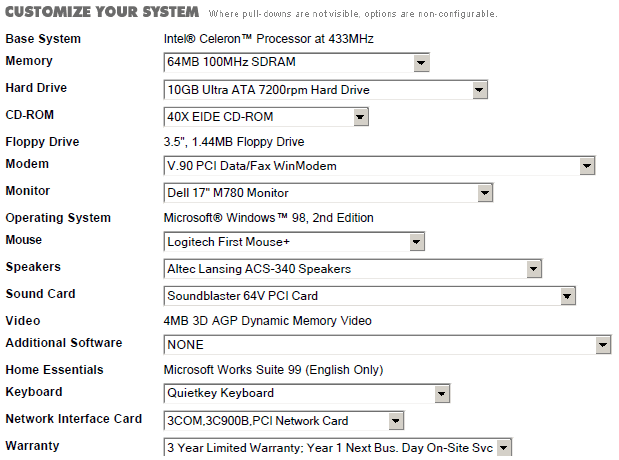
I was rooting through some old email this week, and I came across an old PDF file back from 2000 that had a computer system that I had spec’d out for a friend. I got a chuckle when I looked at the specifications – a 433 Mhz Celeron CPU, 64 MB of RAM, a 10 GB hard drive, a graphics card with 4 MB of RAM. Those look like typos today don’t they? Those specs wouldn’t even run a netbook today. And how much was this hot-rod computer from nine years ago? $1589 CAD. Oh, but it includes a 17 inch CRT monitor, so that makes it quite the bargain… 😉

Bruce Lee vs. Iron Man: Stop Motion Magic

My friend Tim Heerebout pointed me to this short video, and it was just too cool not to share. The creator, a Canadian named Patrick Bovin, has some other excellent videos worth checking out.

Microsoft Outlook, I Want You To Be Smarter

outlook-2007-smart-accountsI have six email accounts I use regularly – four for my Web sites, one for my corporate email (my hosted Exchange account), and one for my personal email. All are IMAP accounts, other than the Exchange account. There are certain people, such as my wife and friends, that I tend to email strictly from my personal (jasondunn.com) email account. And when it comes to sending emails to business contacts, I use one of my business accounts. I imagine I’m quite typical in that regard, and that anyone using Outlook with both a personal and a business acount probably works the same way. So why then do I have to manually select the account I want to send the email from every time I send a new message?
I want Outlook to be smarter. I want it to recognize that if I’m sending an email to my wife, it should be sent from the personal email account. If I’m emailing a contact at Microsoft, it should come from my Exchange account. I could override this behavious if I wanted to, but once it learned which email accounts were used to email each person, I doubt I’d never need to…

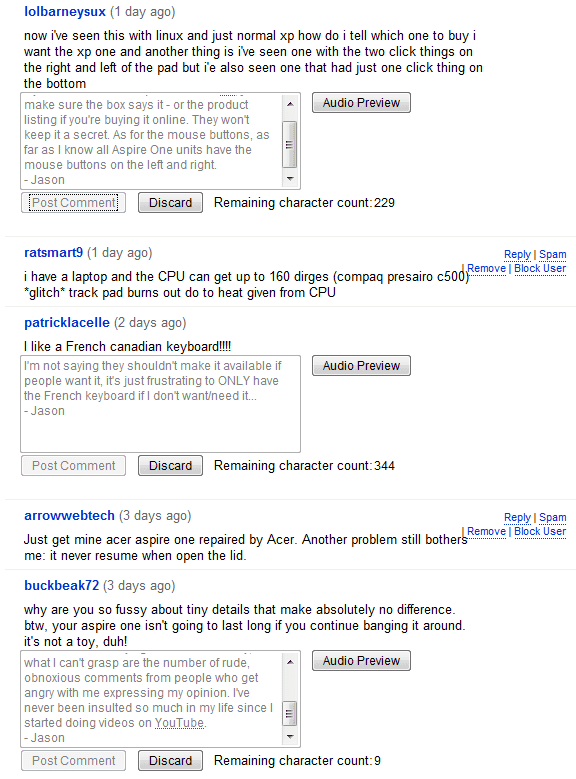
YouTube’s Dysfunctional Commenting System

missing-youtube-comments

What’s that above? A screen shot of three of the comments I posted on one of my YouTube videos this afternoon. I was responding to the comments and questions that other people have left, and I spent about 60 minutes today posting replies…only to have a tiny fraction of them actually make it live. YouTube happily lets me click the POST COMMENT button, but it never posted most of my comments. There’s nothing worse than spending time doing something, only to have all your work vanish. YouTube’s commenting system has been buggy for years, and they never seem to fix the problems with it. Worse yet, even as a YouTube partner, I can’t even talk to anyone about this issue – their partner email address now goes into a non-monitored email account with an auto-responder telling me to use a contact form that doesn’t seem to exist. Everything that Google buys turns to crap from a customer service perspective, YouTube included.

Installing SqueezeCenter on an HP MediaSmart Windows Home Server

I’d been fighting with getting my Logitech Squeezebox Duet set up after migrating to a new Windows Home Server – an HP MediaSmart EX485 to be precise – for the past few hours. I finally got it working, and here’s the solution: the SqueezeCenter software assumes that it can function on port 9000, but because the HP MediaSmart server has the Twonky Media server software installed, it can’t – because the Twonky software uses port 9001. So you have to change the SqueezeCenter software to use port 9001 (or whatever port you wish). The problem? You can’t change the port number using the software without first getting the software to load. Yeah, exactly.

So the first thing you need to do is remote desktop into the HP MediaSmart server and browse to the following folder:

C:\Documents and Settings\All Users\Application Data\SqueezeCenter\prefs

Inside that folder, you’ll find the Server.prefs file. Do a find and look for port 9000 and change it to port 9001. Save the file. [thanks to Anoop at Logitech for help with this part]

Then exit and re-start the SqueezeCenter software. It still won’t work though – that was the last piece of the puzzle I had to work though – you need to go into the Firewall on the HP MediaSmart (Control Panel > Windows Firewall) and add port 9001. Once that’s been added, you should be able to use the SqueezeCenter software via another PC – the browser that ships on Windows Home Server (which is really Windows Server 2003) sucks and doesn’t allow the SqueezeCenter software to work. On a desktop or laptop PC point your browser to the IP address of your server, and port 9001. It might look something like this: http://192.168.1.125:9001.

Once the firewall is opened to port 9001, you should be able to connect the remote to the music source – your HP MediaSmart Windows Home Server.

Whew. It’s been a while since I’ve had to hack at something this hard to get it to work – I was wondering if I still had my geek chops. Looks like I do. 😉

Interviewed About Netbooks on CTV National News

On Friday afternoon I was interviewed by Janet Dirks, the Alberta Bureau Chief for CTV National News. The topic? Netbooks! One of my favourite things to talk about lately, netbooks have been raging through the tech world for about a year, and they’ve finally gotten so big that the mainstream press has taken notice. Unlike the previous TV interview, this wasn’t a story about me, so I’m the tech expert weighing in with a few quotes. It’s hard to convey accurate information in a few short quotes though – netbooks are fast enough for what they’re designed for (Internet tasks) but slower at things like photo editing, video editing, etc.

It was a fun experience all in all – I love talking about technology – but I was sure nervous leading up to it, so maybe it was good that I only had a couple of hours notice. Less time to stress out! I wonder how many times I’ll have to be on TV before I’m not a bundle of frazzled nerves beforehand…

Oh yeah – check out the sweet computer hardware from the ’90s shown at the 2:04 mark. CTV needs some updated B-roll footage I think! 😉